
Check out our White Paper Series!
A complete library of helpful advice and survival guides for every aspect of system monitoring and control.
1-800-693-0351
Have a specific question? Ask our team of expert engineers and get a specific answer!
Sign up for the next DPS Factory Training!

Whether you're new to our equipment or you've used it for years, DPS factory training is the best way to get more from your monitoring.
Reserve Your Seat TodayWhen you think about "network security," what comes to mind?
Most teams immediately think of firewalls, antivirus software, encryption, and intrusion detection systems. These are the digital defenses - your first line of protection against outside attacks.
But what if your biggest vulnerability isn't digital at all?
What if your firewall goes down because of a power loss? What if someone physically walks into your unmanned remote site and unplugs your router? What if HVAC failure overheats your switch and cuts off connectivity?
If you're only watching digital threats, you're leaving your physical network wide open.
Network security is as much about physical protection and real-time visibility as it is about cybersecurity tools. There are physical intruders, but also neutral forces like equipment failures that can be just as damaging to your network uptime.
Let's talk about how to close that gap - and why your entire security infrastructure depends on it.
Network teams are stretched thin. You're trying to keep systems secure, deliver fast uptime, and support internal users or clients. It's already a heavy load.
The problem is that many network security strategies only cover the software layer. That's not your fault - most security tools are marketed around "cyber" protection.
However, when your infrastructure is spread across multiple sites - often in remote or unmanned locations - physical threats become just as dangerous as digital ones.
Most software-only security setups miss:
Every one of these threats can shut down your network (or create exploitable vulnerabilities) just as easily as the hypothetical malware attack that keeps you up at night.
There are a few issues with traditional software-only solutions that prevent them from meeting what's required:
Most teams don't have the resources to physically check every site or piece of hardware. Driving out to inspect equipment manually is time-consuming and expensive - especially when the outage could have been predicted with monitoring. These things are invisible to software alone, since it doesn't have "eyes" into the real world without some kind of hardware added.
Your firewall might be running great - until the rack it's mounted in overheats and fails. That kind of failure can't be prevented by software alone.
Imagine a setup where:
This isn't a fantasy. It's what modern network security looks like.
Let's talk about what it takes to make that possible.
As your network scales, you rely more heavily on hardware - such as firewalls, switches, routers, power systems, and HVAC. And as that infrastructure spreads across different buildings or sites, your visibility decreases.
To get that visibility back, you need a system of remote telemetry units (RTUs) collecting real-time data and sending alarms to a centralized master station.
These RTUs monitor:
Now you're not waiting for equipment to fail - you're preventing it from failing.
As your network matures, VLANs and internal routing strategies help you segment traffic and manage flow. That's good security architecture.
But it assumes your routers and switches are functioning correctly.
If your core router loses power or fails due to overheating, it doesn't matter how secure your VLAN structure is.
That's why environmental monitoring - power, HVAC, humidity - is just as essential as software firewalls and network ACLs.
Monitoring is good, but automated control is better.
By integrating relays into your remote monitoring setup, you can trigger corrective actions without needing to drive to the site.
You can even configure RTUs to follow logic trees - "If X fails, trigger Y" - to take action faster than a human ever could.
This is a level of automated resilience that software tools alone can't offer.
Now that you've got RTUs watching your sites, you need one interface to pull it all together.
That's the job of a master station, like T/Mon LNX from DPS Telecom.
Instead of checking a dozen different devices or platforms, your master station:
One DPS client with over 80 sites was able to centralize everything through their master station. Suddenly, what was once a blind spot became a clear, manageable system. Outages dropped, security improved, and downtime costs plummeted.
Digital threats may dominate the headlines, but many breaches happen because someone walked in through a physical door.
You've got a serious vulnerability - maybe even a compliance issue - if:
Physical access control isn't optional anymore.
Best-practice access control today involves:
And ideally, this system is integrated into the same monitoring platform you use for network alarms.
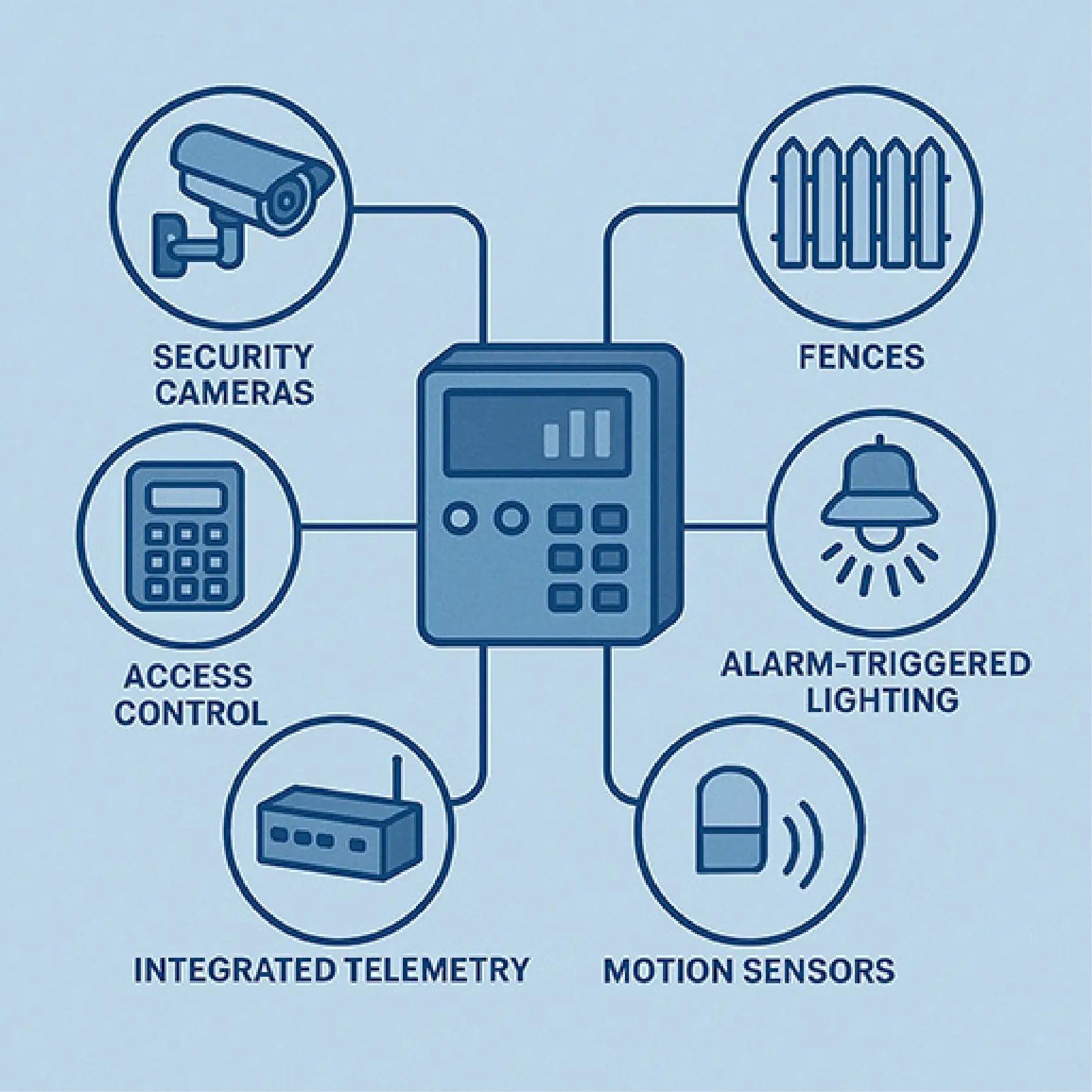
Many clients - especially in telecom, utility, and public safety sectors - are deploying integrated systems with:
Installed at each site to monitor discrete points (power, temperature, door sensors) and control relays.
Track temperature, humidity, battery voltage, HVAC status.
Control access to sensitive areas via keypad or badge reader.
Capture and send images upon motion or door-open triggers.
Centralizes everything and provides a user-friendly interface with email/SMS alerts.
This gives network teams full control - from the NOC or remotely via smartphone.
Some sites don't need full RTU functionality but still require access control.
In that case, clients deploy:
You can still log access, trigger alerts, and enforce security policies - even without full telemetry.
Network security is no longer just about stopping hackers.
If you're serious about uptime, data protection, and operational efficiency, you must:
Otherwise, your "secure" network might be one broken HVAC unit - or one forgotten key - away from disaster.
You've already invested in firewalls and cybersecurity tools. Now it's time to close the loop on the rest of your infrastructure.
Get the visibility and control you need to truly secure your network - top to bottom, software to site door.
Let's talk through your sites, equipment, and needs. We'll help you design a monitoring and access control solution tailored to your specific challenges.
Call DPS Telecom: 559-454-1600
Email: sales@dpstele.com
Don't wait for a breach to find your blind spot. Take control of your network security - today.

Andrew Erickson
Andrew Erickson is an Application Engineer at DPS Telecom, a manufacturer of semi-custom remote alarm monitoring systems based in Fresno, California. Andrew brings more than 19 years of experience building site monitoring solutions, developing intuitive user interfaces and documentation, and opt...


