Check out our White Paper Series!
A complete library of helpful advice and survival guides for every aspect of system monitoring and control.
1-800-693-0351
Have a specific question? Ask our team of expert engineers and get a specific answer!
Sign up for the next DPS Factory Training!
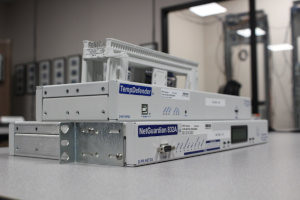
Whether you're new to our equipment or you've used it for years, DPS factory training is the best way to get more from your monitoring.
Reserve Your Seat Today
You've got a remote site you can't afford to lose visibility into. Maybe it's a mountaintop radio repeater, a substation out past the edge of town, or a trackside cabinet nobody sets foot in for months. The Remote Telemetry Unit (RTU) you put there is the one thing standing between you and a 2 a.m. surprise, so it's a decision worth getting right.
Choosing an RTU comes down to six decisions that usually come up in this order: how much capacity to buy, which input types match the gear already at the site, how the unit gets its data back to you, which protocols it needs to speak, how well it survives an unmanned environment, and what it costs over its full life in the field instead of on day one. Get those six right and the unit you spec today still fits a decade from now.
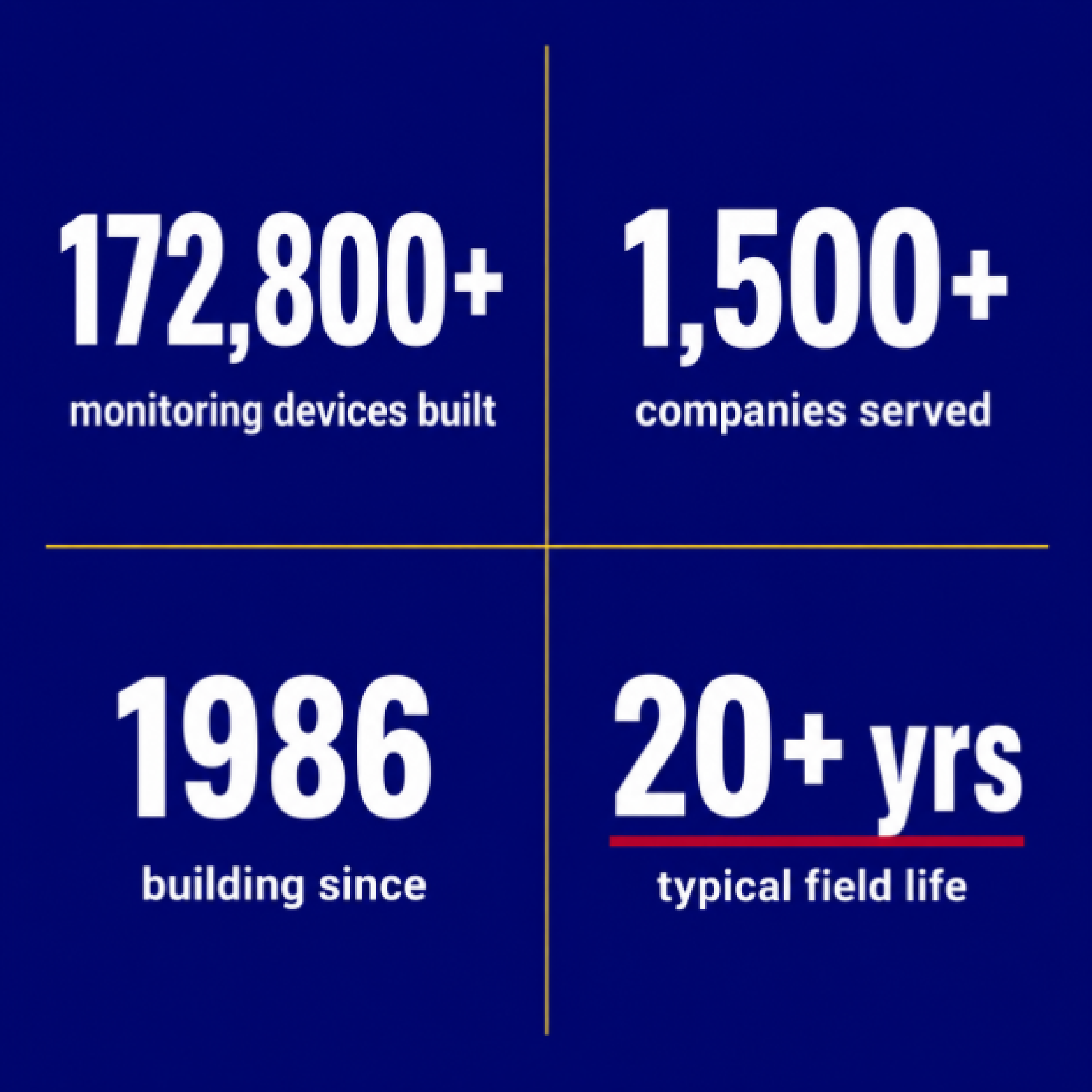
At DPS Telecom, we've manufactured more than 172,800 monitoring devices and served over 1,500 companies since 1986, and a good number of those were custom-built for one client with one specific problem. This guide walks you through the six decisions in the order you'll face them.
A Remote Telemetry Unit is a microprocessor-based device that connects the physical world at a remote site to your central monitoring system. It reads the state of your equipment and its surroundings, whether commercial power is present, whether a door is open, what the battery voltage is, how hot the shelter is getting, and sends all of that back to you.
Most RTUs work in the other direction too. You can send a command back to the site to reboot a stalled piece of equipment or switch a circuit, without anyone having to drive out there. If you want the longer primer before we get into buying decisions, our overview of what an RTU is and does covers the fundamentals.
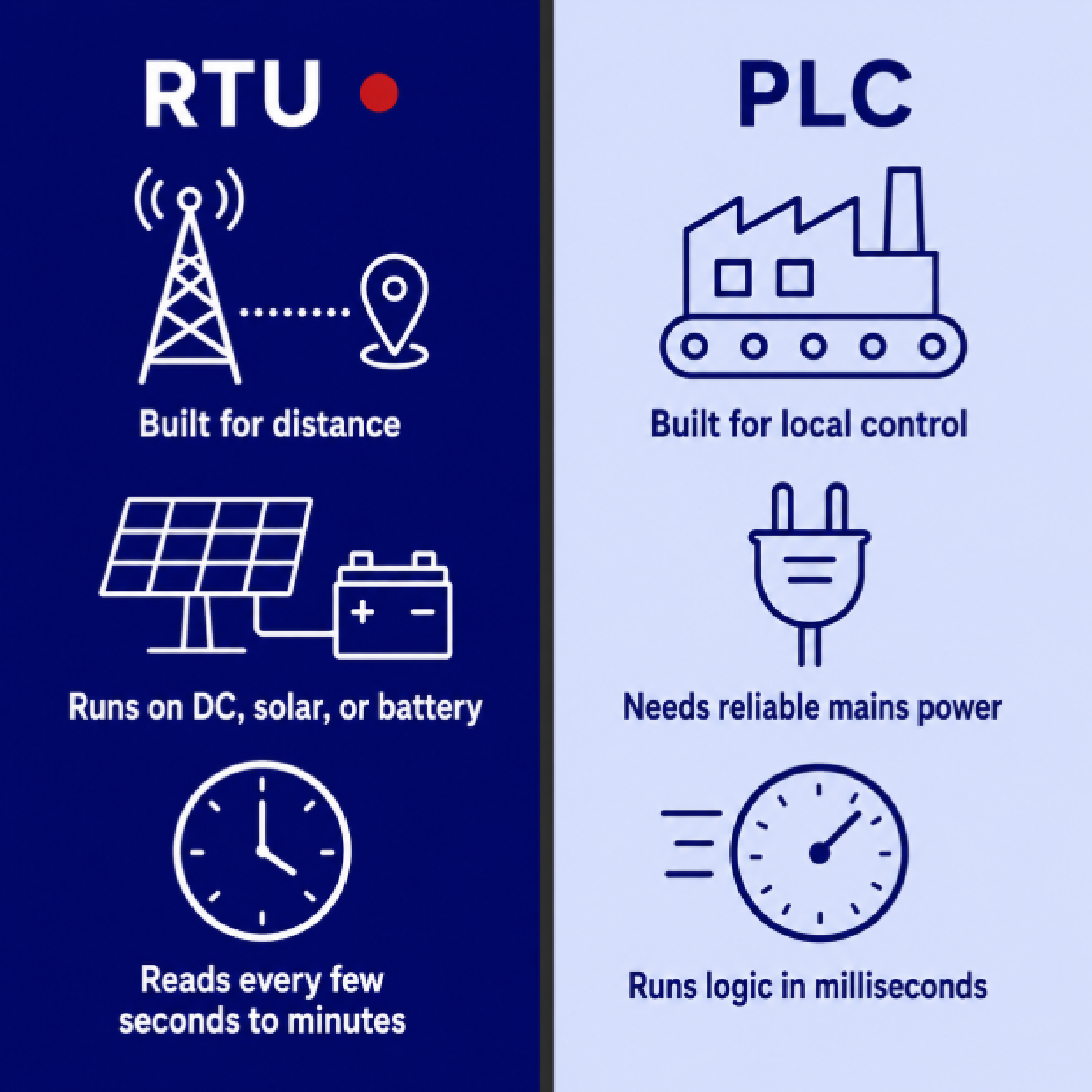
A question we hear often is whether you need an RTU or a Programmable Logic Controller (PLC). The two overlap, but they're built for different jobs. A PLC is optimized for fast, local control. It runs logic in milliseconds on a factory floor where reliable commercial power is a given. An RTU is optimized for distance and survival instead. It's designed to gather telemetry across a wide-area network, run on low-voltage direct current (DC), solar, or battery backup, and keep reporting from a site nobody visits for months.
So which one do you need? If the job is slow, remote monitoring of things like power status, temperature, or tank levels, that's RTU territory. If it's high-speed local automation, that's a PLC.
Before you start comparing models, take an inventory of what's actually at your site and how each thing signals its status. That inventory maps directly onto the four kinds of input and output (I/O) an RTU uses, so it's the fastest way to figure out what you need. Fred Marvin at the Steuben County Office of Emergency Services, which relies on DPS monitoring across its 911 radio network, described the mix at his sites this way:
"We are monitoring nine tower sites, plus our 911 center. We are getting analog inputs for generator voltage, and microwave signal fade. Discrete alarms might be door entry, or temperature high/low, things like that."
A few analog readings plus a handful of discrete on/off alarms is about as typical as it gets. Here's how the building blocks break down.
| Building block | What it monitors or does | Example at a site |
|---|---|---|
| Discrete input (contact closure) | An on/off state | Door open, generator running, high-water float tripped |
| Analog input | A continuous measured value | Battery voltage, temperature, fuel level |
| Control relay output | Sends a command back to the site | Reboot equipment, switch a circuit, unlock a gate |
| Protocol input | Reads data from other devices | Modbus from a generator, SNMP from a server |
A discrete input, also called a contact closure or digital input, answers a yes-or-no question, like whether the door is open or the generator is running. There are two kinds. A dry contact provides no voltage of its own, so the RTU supplies a small "wetting" voltage to sense when the contact closes. A wet contact supplies its own voltage into the RTU's input. Audit which type your existing equipment uses before you order. Get it wrong and you're looking at either missed alarms or electrical damage to the unit, neither of which you want to discover in the field.
Analog inputs measure a value along a range instead of a simple on/off state, things like battery bank voltage, shelter temperature, or fuel level. The most widely used industrial standard here is the 4-20 milliamp (mA) current loop, where 4 mA is the bottom of the range and 20 mA is the top. Its main advantage is accuracy over long distances. Because current stays constant along a wire regardless of the length of the run, a 4-20 mA signal stays accurate over long cable runs where a plain voltage signal would sag and read low. The "live zero" at 4 mA also lets the RTU tell a true reading of zero apart from a broken wire, since a severed loop drops all the way to 0 mA.
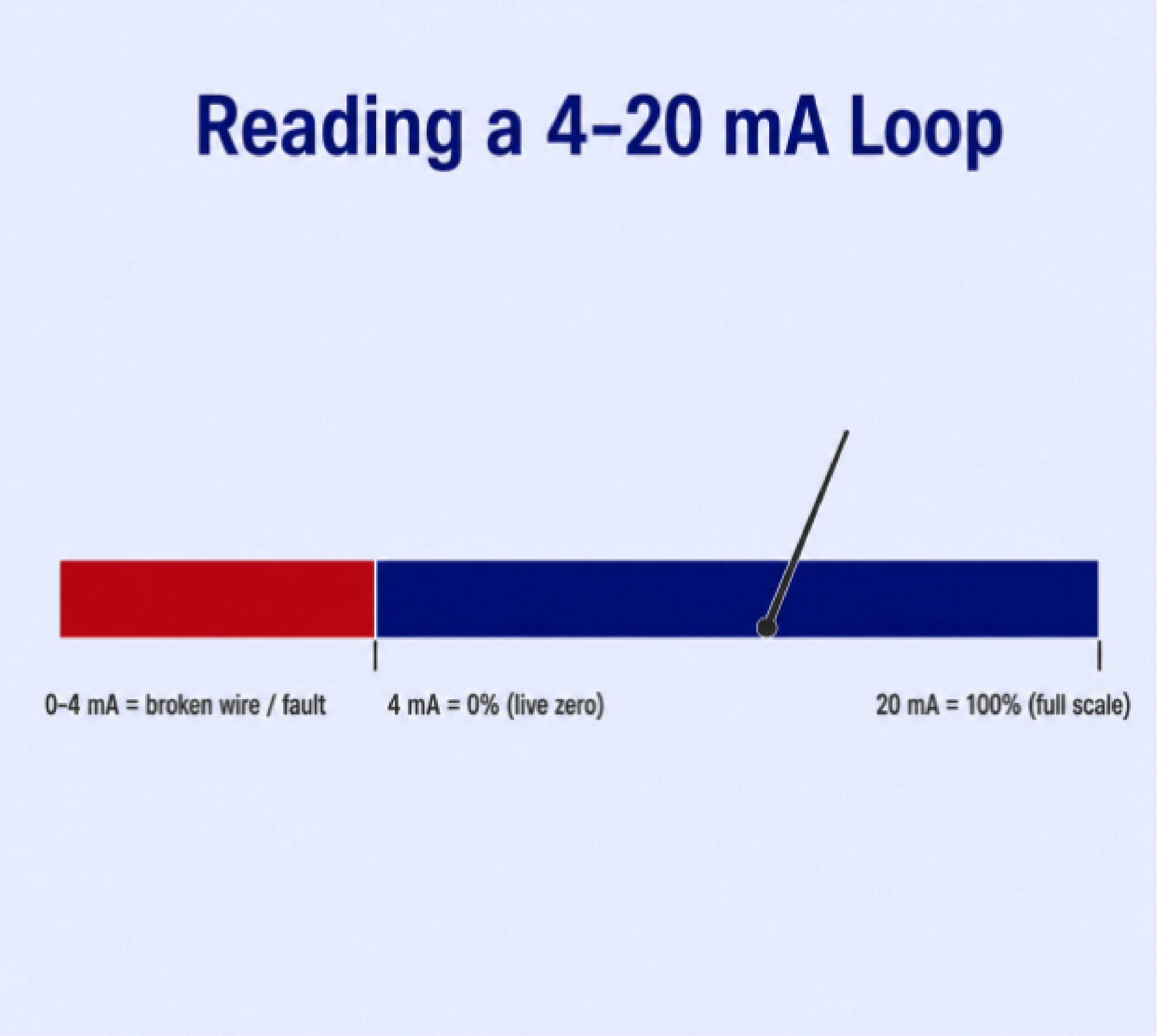
Our RTUs also accept 0-5 volt direct current (VDC) sensors, and you can toggle our analog inputs into current-monitoring mode to read 4-20 mA sensors directly.
Monitoring tells you what's happening at a site. Control relay outputs let you do something about it without driving there. A relay can reboot a locked-up piece of equipment, kick on backup cooling, or unlock a gate for a technician. You'll usually see them specified as Form A, a simple contact that sits normally open and closes when energized, or Form C, which carries both a normally open and a normally closed contact so a single command can switch between two circuits. The remote actions you want to take from your desk tell you how many control relays to spec.
The fourth building block is the protocol input, and it's the one that's changed most in recent years. RTUs have long used protocols like Simple Network Management Protocol (SNMP) to report their own data up to a master station. What's newer is RTUs using protocols to monitor other devices, pulling Modbus data straight off a generator controller or SNMP from a server. For some sites, that protocol data is the only thing you need to collect. We build protocol-only RTUs for exactly that case, with no discrete, analog, or control points at all, just enough to bring in Modbus or SNMP from a device and then forward alerts or hand the data to another system. When that's your only need at a site, you can skip paying for physical I/O you'll never wire up.
The most common sizing mistake is buying only for the alarms you have on day one. Remote sites grow. You add a generator, then a new radio, then another environmental sensor, and a unit with exactly enough capacity for your original count comes up short. Once that happens, you're usually looking at a second expansion module or a full swap, plus the wiring, the site visit, and the reprogramming that come with it. Because a well-built RTU can stay in service 15 to 20 years, the headroom you buy now pays for itself many times over. A good rule of thumb is to leave room for 20% to 50% more points than you monitor today.
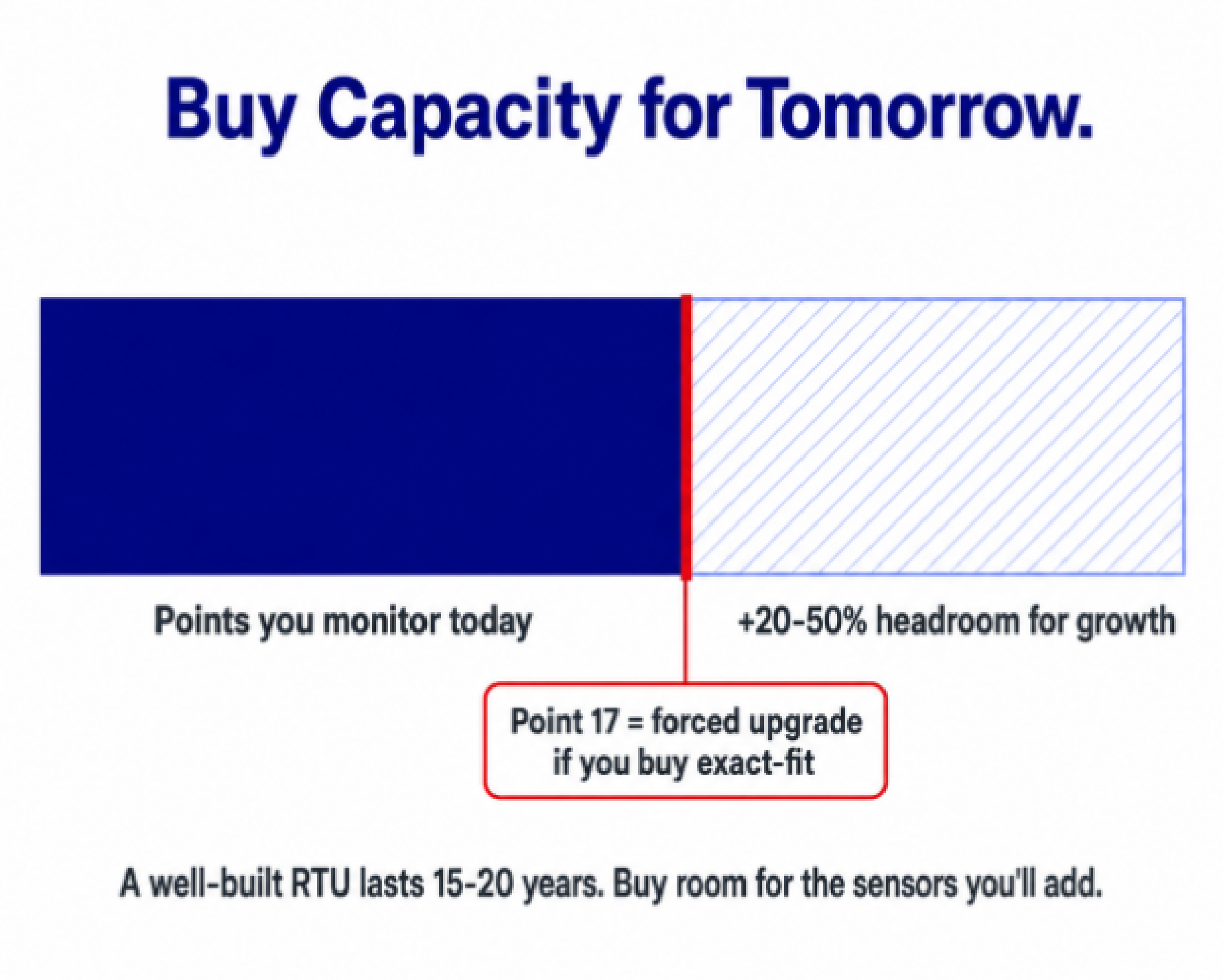
Jim Gaynor at BNSF, which runs DPS monitoring across its rail network, framed the tradeoff well:
"A small office might only have six alarm points, so a small remote would cover it for right now. But you might want to put in a larger RTU with more capacity to handle the alarms you anticipate having in a year's time."
Our RTUs are built with expandable capacity for exactly this reason, and when you do outgrow a unit, our 20% trade-in credit helps you step up without starting over. If you want to get more specific about matching capacity to a site, our walk-through of choosing the right RTU and our guide to RTU prices, functionality, and capacity go deeper.
Transport is just how the RTU gets its data back to you. The practical rule is to use the transport that already exists on your network and build in a backup path for the times it fails. A monitoring system that goes dark during an outage fails you at exactly the moment you need it most.
| Transport | Best fit | Notes |
|---|---|---|
| Ethernet | Sites already on fiber or an internet protocol (IP) network | High bandwidth, supports web access and firmware updates |
| Serial | Direct connection to nearby gear | Common for older or short-range equipment |
| T1 / fiber | Existing leased-line or fiber backhaul | Reuses infrastructure you already run |
| Cellular (via gateway) | Sites with no wired path | Wireless reach where trenching cable isn't practical |
| Satellite (via gateway) | Extremely remote or disaster-prone sites | A path of last resort when terrestrial links go down |
| Dialup | Sites with only a phone line | Low bandwidth, still useful as a fallback |
Our NetGuardian RTUs support Ethernet, serial, T1, fiber, cellular and satellite (through an external gateway), and dialup, so you can match the unit to the transport that already reaches the site. For a site where an outage would knock out service or leave a safety system blind, look for a unit that fails over to a backup transport automatically when the primary drops. How much backup you actually need varies from site to site, and our look at how much redundancy is worth building in can help you draw the line.
Protocols are the languages your devices use to talk to each other, and an RTU is only as useful as its ability to speak the ones your network already runs, whether that's SNMP, DNP3, Modbus, or something older. Here are the ones you'll run into most:
Our RTUs support more than 30 protocols, including SNMP v1, v2c, and v3, DNP3, Modbus, TL1, and American Standard Code for Information Interchange (ASCII), and we'll develop support for a protocol we don't yet have when a client needs it. Just as important, we mediate legacy and proprietary equipment into standard protocols, so a mix of gear from different vendors and eras can report into one system without you having to rip anything out. Our rundown of the top RTU open protocols covers the main ones in more detail.
You don't have to run our master station to use our RTUs, either. They report cleanly to third-party SNMP managers like SolarWinds, or to our own T/Mon platform when a single-vendor setup fits you better.
If you've got fewer than about ten sites, the RTUs themselves can be your whole monitoring system. You log into each unit's web interface, set up email or text alerts, and you're done. Once you grow past that, logging into dozens of separate units gets tiring, and it's worth adding a master station to pull every site onto one screen. A master aggregates alarms from all your RTUs, maps them, and routes notifications. Our T/Mon master station does this across more than 30 protocols, which matters most when you've accumulated equipment from different vendors over the years.
An RTU rarely operates in a climate-controlled room. It sits in a metal cabinet on a mountaintop, in a desert substation, or beside a rail line, where commercial information technology (IT) gear built for a 70-degree office would quickly fail. "Rugged" only means something when someone has actually tested it, and that's what NEBS is for. Network Equipment-Building System (NEBS) is the set of standards North American telecom and utility operators use to prove environmental, physical, and electrical hardiness, and NEBS Level 3 is the bar for carrier-grade equipment. Three areas do most of the work:
| NEBS outdoor class | Typical enclosure | Operating range |
|---|---|---|
| Class 1 (Controlled) | Heated and cooled hut or vault | 23°F to 122°F |
| Class 2 (Protected outside) | Passively cooled outdoor cabinet | -40°F to 149°F |
| Class 3 (Severe outside) | Exposed to dust, salt fog, high heat and humidity | -40°F to 158°F |
| Class 4 (Unprotected) | Directly exposed to weather and sun | -40°F to 115°F |
We test our equipment for NEBS compliance in-house in Fresno, California, where design, circuit board assembly, and firmware all happen under one roof. For an unmanned, exposed site, matching the RTU to the right outdoor class is one of the highest-leverage specs on the whole sheet. And because miles of copper lines and tall towers are basically lightning magnets, ESD protection deserves a hard look. Our guide to choosing an RTU with good ESD protection walks through what to check for.
The sticker price of an RTU is a small slice of what it actually costs you. Most of the cost accumulates over the years, in the site visits, the "truck rolls," the reprogramming, and the premature replacements that a cheaper, less capable unit tends to rack up. A South Florida Water Management District audit of Supervisory Control and Data Acquisition (SCADA) maintenance found that annual per-site maintenance on poorly optimized networks can run somewhere between about $2,500 and $3,600. Set against numbers like that, saving a couple hundred dollars up front on a unit that freezes, can't take the cold, or loses vendor support in three years is a bad trade.
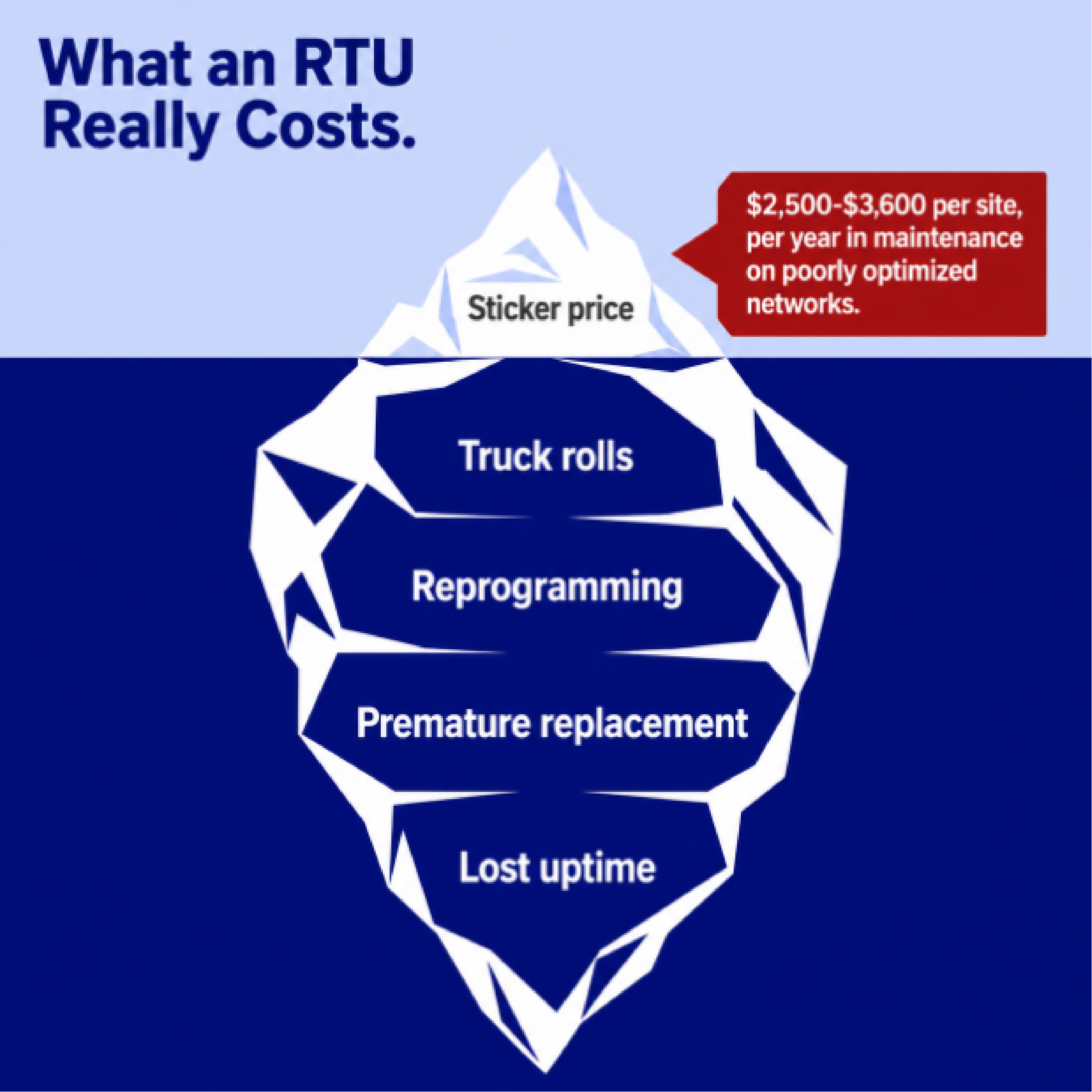
Total cost of ownership (TCO) is why we build for a long field life instead of the lowest sticker price. Our equipment routinely runs 20 years or more in the field with no planned obsolescence, and we keep supporting and updating products long after they ship. Every purchase includes free lifetime technical support and training, with no hidden fees, and when you do decide to upgrade, our 20% trade-in credit protects your original investment. If you want to see exactly where the money hides in a monitoring purchase, our breakdown of the hidden costs of remote monitoring equipment lays it out.
As a planning reference, our RTUs start around $700 for entry-level monitoring, run about $1,100 for mid-range capacity, and reach roughly $4,000 to $5,000 for high-capacity, full-featured units. Custom-engineered builds are priced to the specification. Every site is a little different, so every quote is its own, but those ranges give you a place to start.
When you call us, you reach the engineers who design and build the equipment, not a call center reading off a script.
A quick set of questions to take into any RTU evaluation, ours or anyone else's:
What is the difference between an RTU and a PLC? An RTU is built for remote monitoring over wide distances on low power, while a PLC is built for fast, local control at a site with reliable power. Slow, remote telemetry points to an RTU. High-speed local automation points to a PLC.
What is a dry contact versus a wet contact? A dry contact supplies no voltage of its own, so the RTU provides the sensing voltage. A wet contact supplies its own voltage into the RTU's input. Matching the RTU's inputs to your sensors prevents missed alarms and equipment damage.
Why is the 4-20 mA current loop so common for analog signals? Current stays constant along a wire regardless of length, so a 4-20 mA signal reads accurately over long cable runs. The 4 mA "live zero" also lets the RTU distinguish a true zero reading from a broken wire.
Can a DPS RTU report to a third-party SNMP manager like SolarWinds? Yes. Our NetGuardian RTUs report to standard SNMP managers such as SolarWinds, or to our own T/Mon master station if you prefer a single-vendor system.
What does NEBS Level 3 mean for an RTU? NEBS Level 3 is the carrier-grade tier of the Network Equipment-Building System standards. It certifies that equipment has been tested to survive extreme temperatures, seismic activity, and severe electrical events at unmanned sites.
Every network is a little different, and the right RTU depends on what's actually at your sites and where you expect them to be in ten years. Tell us what you're trying to accomplish, and we'll help you spec a unit, or design a custom one that fits. A lot of the models in our catalog started life as a custom build for a client with a specific problem, like our widely deployed NetGuardian 832A. If nothing off the shelf fits your site, we can build what does, usually in under 90 days with no engineering fees on orders of roughly a dozen units or more.
Talk to an Engineer | 800-693-0351

Andrew Erickson
Andrew Erickson is an Application Engineer at DPS Telecom, a manufacturer of semi-custom remote alarm monitoring systems based in Fresno, California. Andrew brings more than 19 years of experience building site monitoring solutions, developing intuitive user interfaces and documentation, and opt...