
Check out our White Paper Series!
A complete library of helpful advice and survival guides for every aspect of system monitoring and control.
1-800-693-0351
Have a specific question? Ask our team of expert engineers and get a specific answer!
Sign up for the next DPS Factory Training!

Whether you're new to our equipment or you've used it for years, DPS factory training is the best way to get more from your monitoring.
Reserve Your Seat TodayRTU-only monitoring works - until it doesn't.
If your network is small, it makes perfect sense to lean on individual RTUs, their local web interfaces, and a few one-off notifications you manage device-by-device.
The issue is almost never that RTU-only monitoring is "wrong." The issue is that it gets harder to run as you scale. And it scales in a sneaky way - just a little more hassle per site - until one day your team is drowning in logins, tabs, and guesswork.
In this guide, you'll learn how to spot that tipping point, why "DIY master station" approaches (spreadsheets, inbox rules, log-file bucket brigades) don't survive real operations, and how to move to centralized alarm management without creating a painful tech-debt project.
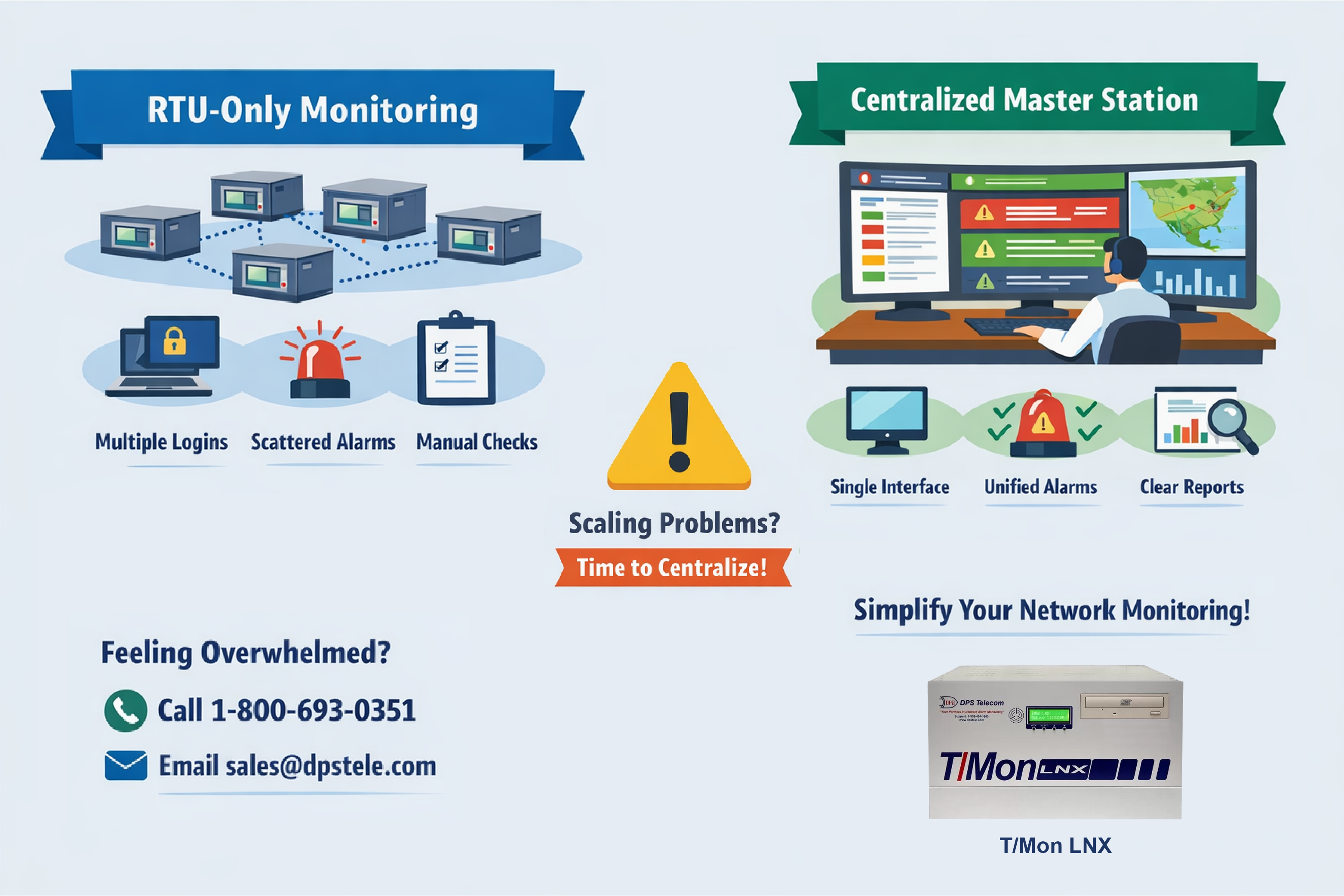
This guide is for teams running multiple remote sites, including:
It applies when RTU-only monitoring still feels "mostly fine," but your team is spending more time managing monitoring than using monitoring to prevent outages.
Definition: RTU-only monitoring
RTU-only monitoring is an operating model where each site's alarms are primarily managed at the RTU level - usually through per-device web interfaces, device-specific logs, local configuration, and ad hoc notifications (like email or SMS).
RTU-only monitoring can be rock-solid for basic needs. It can also give you excellent visibility at a single site.
The scaling problem isn't accuracy. The scaling problem is coordination.
Every RTU you add brings:
Each one is manageable. The pile-up is what hurts.
Your pain doesn't suddenly appear at 11 RTUs. Or 12. Or 13.
What happens is simpler (and more annoying): each new RTU adds a small operational tax. That tax compounds until the whole approach starts feeling... ridiculous.
That's why teams miss the transition. There's no dashboard alert that says, "Congratulations, you now require a master station. Go get your checkbook!"
A more accurate description is:
A useful rule of thumb still holds: many teams start feeling the pull toward centralization somewhere around five to ten sites. The exact number isn't the point. The point is the curve: it rises smoothly... until you can't ignore it anymore.
RTU-only monitoring usually fails operationally long before it fails technically.
Common signs:
Those aren't "minor inconveniences." They're evidence your monitoring model no longer matches your network's scale.
Spreadsheets aren't useless. But spreadsheets become dangerous when they quietly turn into your "monitoring system."
Definition: Spreadsheet-based monitoring as a master station substitute
Spreadsheet-based monitoring is the attempt to manage alarms, status, and history using manual exports, saved log files, ticket notes, and periodic imports into spreadsheets or databases.
The pattern looks familiar:
That's a bucket brigade. It's fragile because it depends on humans doing routine transfers correctly, every time. It's slow, too, which means it fails at the exact moment you need it most: during an incident.
Big networks aren't managed well with manual imports, naming conventions, and a spreadsheet empire. Big networks need automated collection, consistent normalization, and one operational view everyone trusts.
Email inbox aggregation is tempting because it's easy. And at first glance, it kind of looks like an alarm list on a true master station interface.
But email was never designed for:
Teams often "acknowledge" alarms by deleting messages or moving them into folders. That's not acknowledgment. That's improvised triage.
A proper alarm master station might resemble an inbox because it shows a list. That resemblance is superficial. A master station is built for operational control - not human duct tape.
DPS Telecom product recommendation: DPS Telecom T/Mon Master Station
When inbox rules or per-RTU notifications are acting like your operations platform, a centralized master station like DPS Telecom's T/Mon is typically the right next step. A master station is designed for acknowledgment, escalation, consistent visibility, and long-term alarm history across many sites.
RTU event history is valuable. But it has one unavoidable limitation: it's local to the device.
Older RTU designs often treated event history like a short buffer - just enough to survive a communication hiccup. Some kept a small list (often around 100 events). In some implementations, that history lived in volatile memory, meaning a power loss could wipe the trail when you needed it most.
Modern RTUs are better. Many now include non-volatile memory (like NVRAM) and can store tens of thousands of events.
That's real progress - and still not the full solution.
Local history can still get overwhelmed, especially if you log frequent sensor values or a site enters a noisy failure condition. Even a "large" local buffer is still finite. An event storm can fill it faster than people expect.
A centralized master station solves a different problem: it becomes the authoritative system of record.
Definition: Central alarm master station event storage
A central alarm master station stores and indexes alarm history across sites in a way that isn't constrained by per-device buffers and can scale to very large volumes using modern storage.
Storage economics changed the game. Central platforms can retain huge volumes of events, which makes root-cause analysis and "prove what happened" postmortems practical at scale.
Teams often delay a master station because they assume cost scales linearly with site count.
In real deployments, cost usually isn't the biggest risk. Operations is.
As RTU-only monitoring gets harder to manage, you get exposed to MISA-type outcomes: missed issues, slow response, avoidable outages, and sometimes equipment damage.
A master station often delivers similar operational benefits at 10 RTUs and 20 RTUs. Licensing must scale for some systems, but that scaling tends to exist whether you upgrade at 10 sites or 15 or 20.
So the practical reason to move earlier isn't "save money." It's:
There's a common trap: a sharp operator builds a clever low-cost solution... and it grows into a monster.
Definition: In-House Solution Stack Hack
An In-House Solution Stack Hack is when an improvised internal monitoring setup grows into a complex, fragile stack that only its creator fully understands.
It might include:
Here's the problem: the system can "work" for years. That's why it becomes dangerous.
When that person leaves, transfers, or retires, you get a forced clarity moment: the monitoring model wasn't sustainable - it was being held together by one human.
This is one of the most common triggers for moving to a master station. A staffing change turns "clever" into "unmaintainable" overnight.
Centralization doesn't have to mean rip-and-replace.
A sane migration happens in phases.
Start with the alarms that actually change outcomes:
A short list of high-value alarms reduces risk more than a long list of noisy alarms.
DPS Telecom product recommendation: NetGuardian RTUs for standardized site alarming
For many sites, a standardized RTU approach using DPS Telecom NetGuardian RTUs is a reliable way to normalize power, environment, and access signals across locations. Standardization makes centralization easier because alarm meaning becomes consistent from site to site.
Centralization isn't "just one screen." It's consistency:
A master station should lower cognitive load by making "what do we do next?" predictable.
Once centralized monitoring is stable, expand the benefits:
Postmortem confidence isn't a luxury. It's how you stop repeats.
T/Mon is DPS Telecom's central alarm master station built for real NOC work:
If you need one operational "source of truth" for alarms, this is it.
If event history depth matters, whether as a backup or in smaller networks where you don't yet need a master station, go with an RTU that can store a lot of local history reliably.
NetGuardian 832A G6 is a strong pick when you want:
A common range is five to ten sites. But the better indicator is operational strain: more logins, unclear ownership, manual correlation, and poor postmortem confidence.
They can support small-scale reporting. But as a primary monitoring system, they're fragile. Manual transfer processes fail under incident pressure.
Email is fine as a notification method. But an inbox is not an alarm workflow. Acknowledgment, escalation, and correlation require a purpose-built system.
Modern RTUs with non-volatile memory improve local history, but local history is still finite and site-specific. Central systems provide unified visibility and scalable retention across sites.
Common triggers include repeated incidents, growing site counts, escalating operational overhead, inability to prove what happened, and staff changes that expose an In-House Solution Stack Hack.
If you're hitting the point where RTU-by-RTU monitoring is slowing your team down, it's probably time to centralize alarms and clean up your workflow. Give me a call or send me an email and we'll help you size the right setup for your network - no guesswork, no overbuying, and no "science project" deployments.

Andrew Erickson
Andrew Erickson is an Application Engineer at DPS Telecom, a manufacturer of semi-custom remote alarm monitoring systems based in Fresno, California. Andrew brings more than 19 years of experience building site monitoring solutions, developing intuitive user interfaces and documentation, and opt...


