Check out our White Paper Series!
A complete library of helpful advice and survival guides for every aspect of system monitoring and control.
1-800-693-0351
Have a specific question? Ask our team of expert engineers and get a specific answer!
Sign up for the next DPS Factory Training!
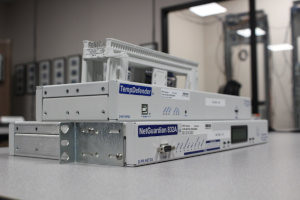
Whether you're new to our equipment or you've used it for years, DPS factory training is the best way to get more from your monitoring.
Reserve Your Seat Today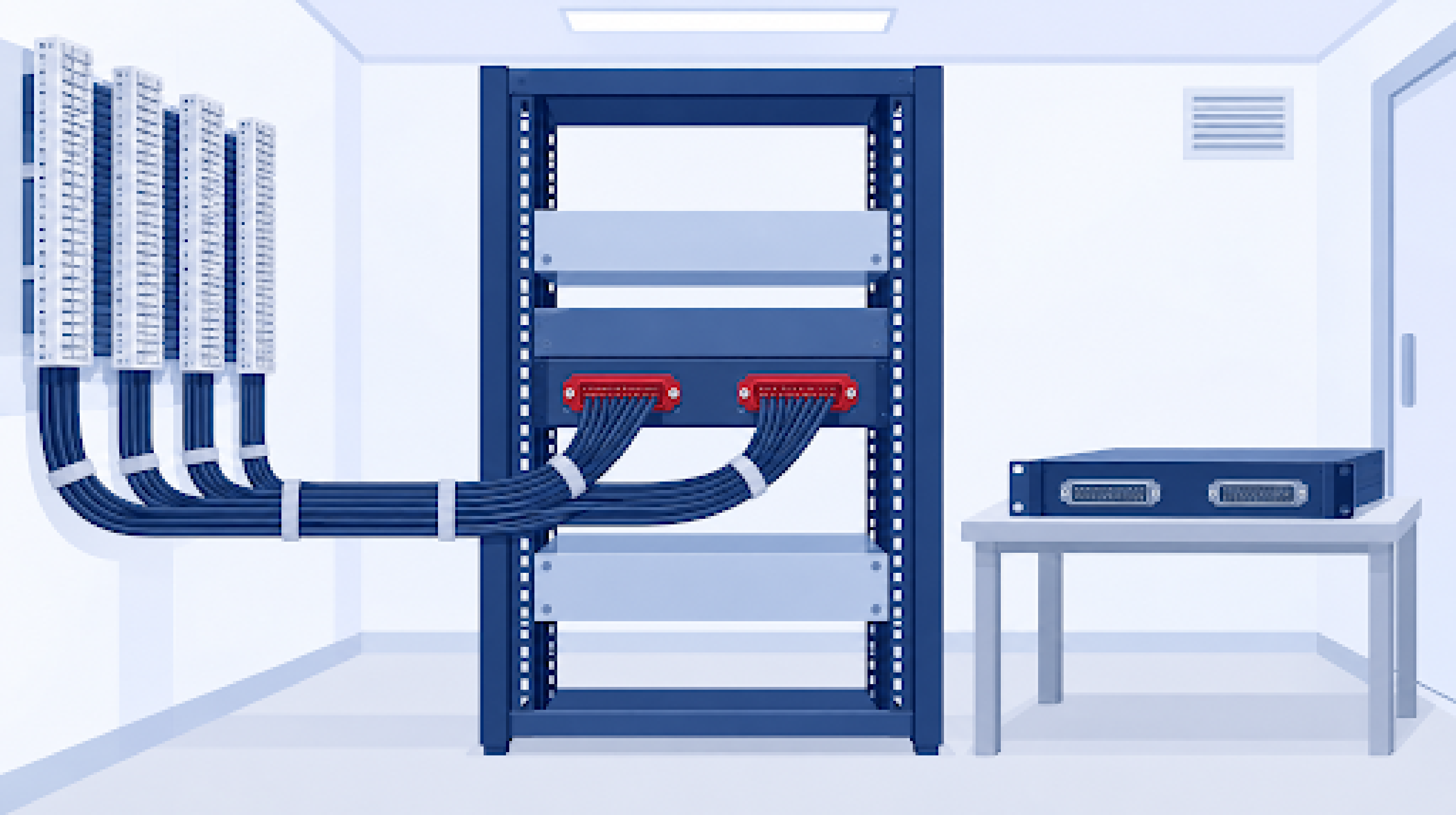
By Andrew Erickson, Application Engineer at DPS Telecom
You can replace a discontinued remote terminal unit (RTU) without re-terminating any alarm points if the new unit matches the existing one in two places. It has to take your existing cables, with every pin carrying the same alarm point it carried before. It also has to report to your alarm master in the protocol the master already uses. When the new unit matches on both, your field wiring stays punched down where it is. The technician at each site only moves cables from the existing unit to the new one.
At DPS Telecom, our engineers build replacements for discontinued RTUs, including units from other manufacturers. We study the existing unit's pinouts, protocols, form factor and inputs, then build or configure a unit that plugs into the wiring already at your sites. Our goal on those projects is zero re-wiring at the remote site.
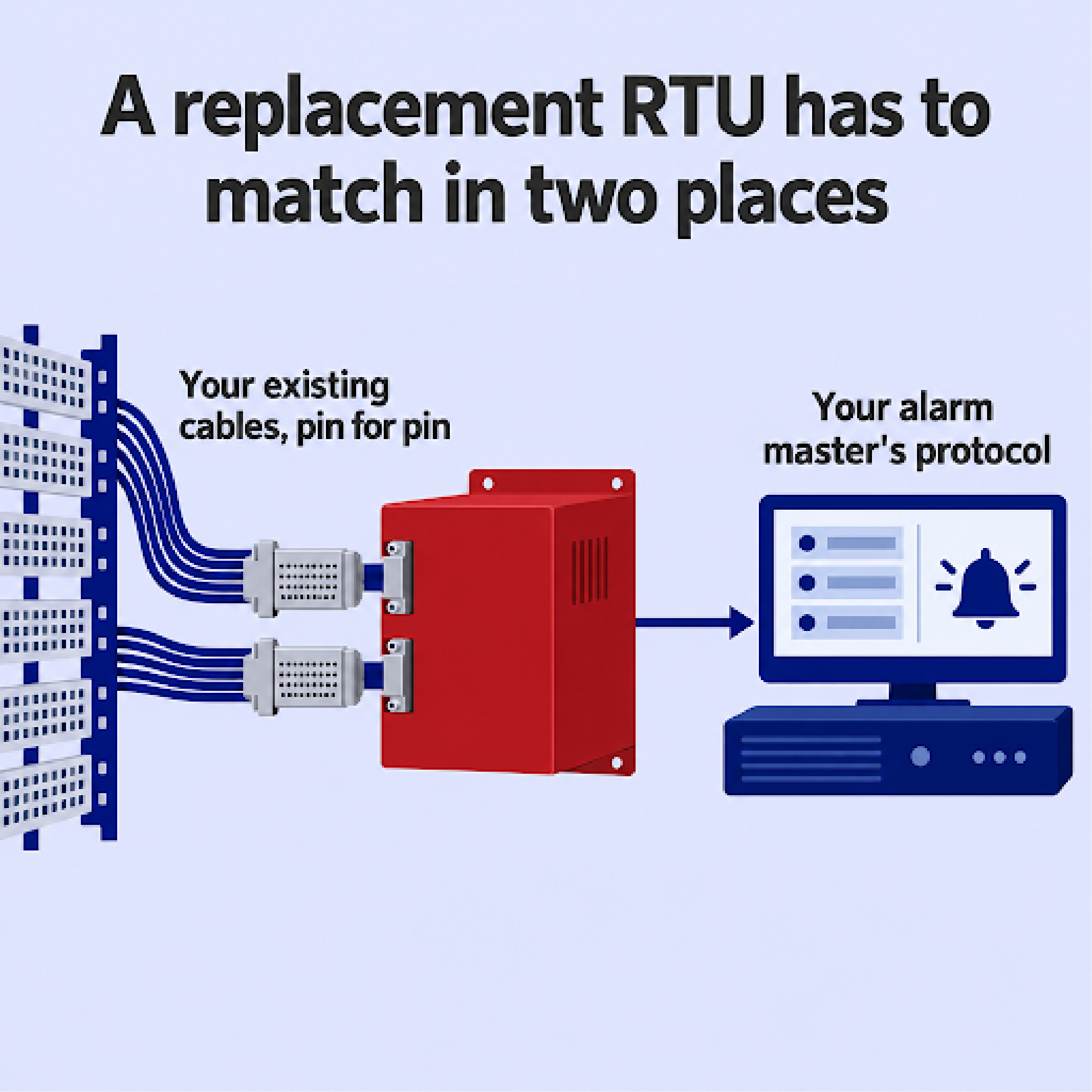
A new RTU can connect to your existing wiring without re-terminating anything when it accepts the same amphenol cables and each pin carries the same alarm point it did on the discontinued unit. The cables from your 66 blocks plug into the new unit, and nothing on the blocks changes.
A matching connector doesn't guarantee a matching pinout. Say the pair carrying a generator alarm landed on discrete input 5 of the discontinued unit and lands on input 12 of the new one. The cable plugs in without any trouble, but your alarm master now shows the generator alarm under input 12's description, which belongs to some other piece of equipment.
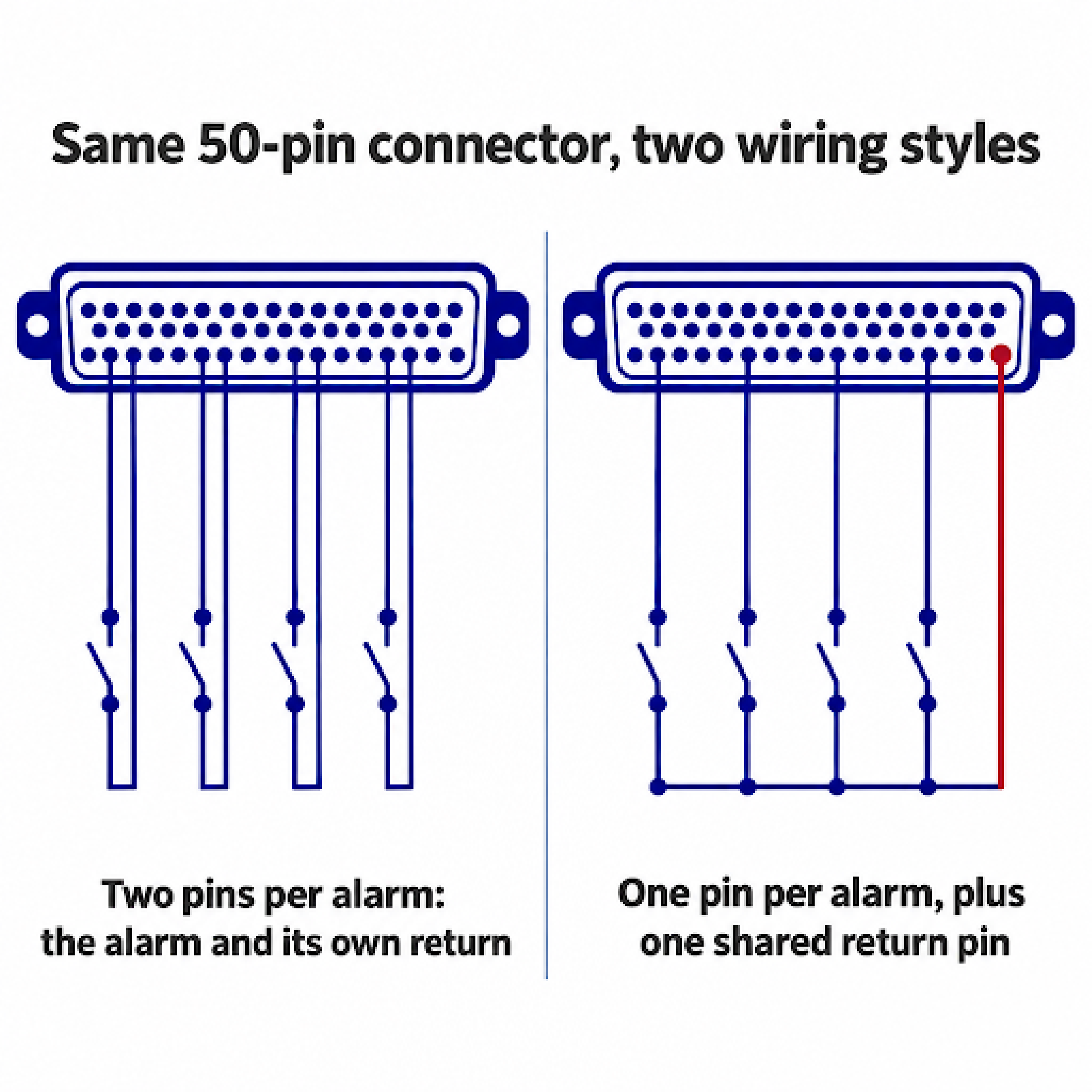
Some RTUs use two pins for each alarm point, one for the alarm and one for its return. Others use one pin for each alarm point and tie all of them to a single common return pin. Our own NetGuardian RTU line has both. The NetGuardian 832A uses two pins per point, and the NetGuardian 864A uses one pin per point with a common return. An 832A's cable moved onto an 864A doesn't put the alarms on the right inputs, even though both units use 50-pin amphenol connectors. A replacement has to be matched pin by pin.
Write down everything the existing unit connects to before you talk to a replacement vendor, because each item on the list is something the new unit has to match. If your sites aren't all wired the same way, document each variation separately.
Documenting a site can also show that rewiring is the better choice. If the field wiring is damaged, or nobody can say which pair goes to which piece of equipment, plugging a new RTU into it carries the same problems forward. At a site like that, re-terminating while you're there gives you wiring you can trust and documentation that matches it.
If the new RTU's connector or pinout doesn't match, you can still leave the field wiring alone in one of two ways. Adapter cabling connects a standard RTU to your existing amphenol cables, wired so each alarm point reaches the right input. A custom-built RTU has the discontinued unit's connectors and puts each alarm point on the same pin it used before.
| Adapter cabling | Custom-built RTU | |
|---|---|---|
| What it is | A cable built for your project that runs from the new RTU's connectors to your existing amphenol cables, wired to the existing pinout | An RTU built with the discontinued unit's connector layout and pin assignments |
| What changes at the site | The adapter cable goes in between the new RTU and your existing cables | The RTU itself, and nothing else |
| When it fits | A standard RTU already has the inputs, protocol, power and mounting you need, and only the connectors or pin assignments differ | No standard unit offers the connectors, form factor or protocol you need, or you'd rather not add cables at the site |
We often build project-specific adapter cabling as part of a replacement. When the protocol or form factor you need isn't already in our product line, our RTU replacement service engineers it. Before we manufacture a custom unit, we send you a virtual prototype, a photo-realistic image of the finished unit, so you can check the connector positions against your racks and cables.
"The thing I liked was that DPS was going to make it fit our needs. They were going to make their stuff fit ours."
Lead Telecom Tech, Electric Utility
A new RTU will work with your existing alarm master if it reports in the protocol your master already uses, or if you add a master that can read both protocols. Our NetGuardian RTUs report in Simple Network Management Protocol (SNMP), Transaction Language 1 (TL1), Distributed Network Protocol 3 (DNP3) and Modbus, along with a broad range of older protocols. If the discontinued RTU came from another manufacturer, we can replace it as long as we can match the protocol your alarm master uses to collect alarms.
When your current master can't read the protocol the new RTU uses, an alarm master that reads both can collect the alarms instead. Our T/Mon alarm master reads many standard and proprietary protocols and serves as the central point that collects alarm data from across your network. New RTUs and the discontinued units you haven't replaced yet can then report to the same place while you work through your sites.
If your alarm master is discontinued too, you're replacing more than RTUs. We cover that larger project in our guide to replacing discontinued monitoring equipment.
Testing each site's kit on a bench first means problems turn up at the shop instead of at the site. Each site then goes without monitoring only while the technician moves the cables, and the technician is at the site for that whole time.
The discontinued units you pull out become spares for the sites you haven't reached yet. Spares get scarce once a product is discontinued. Power and Water Corporation, an Australian utility, noted in its business case for replacing end-of-support equipment that after end of support, "vendors do not sell spares or undertake repairs of faulty equipment."
Time at each site depends on how many cables move, how far the drive is and how many points you check before leaving, so we can't give a per-site figure that holds across networks. The number of trips is easier to control than the time on site. Aim for one trip to each site.
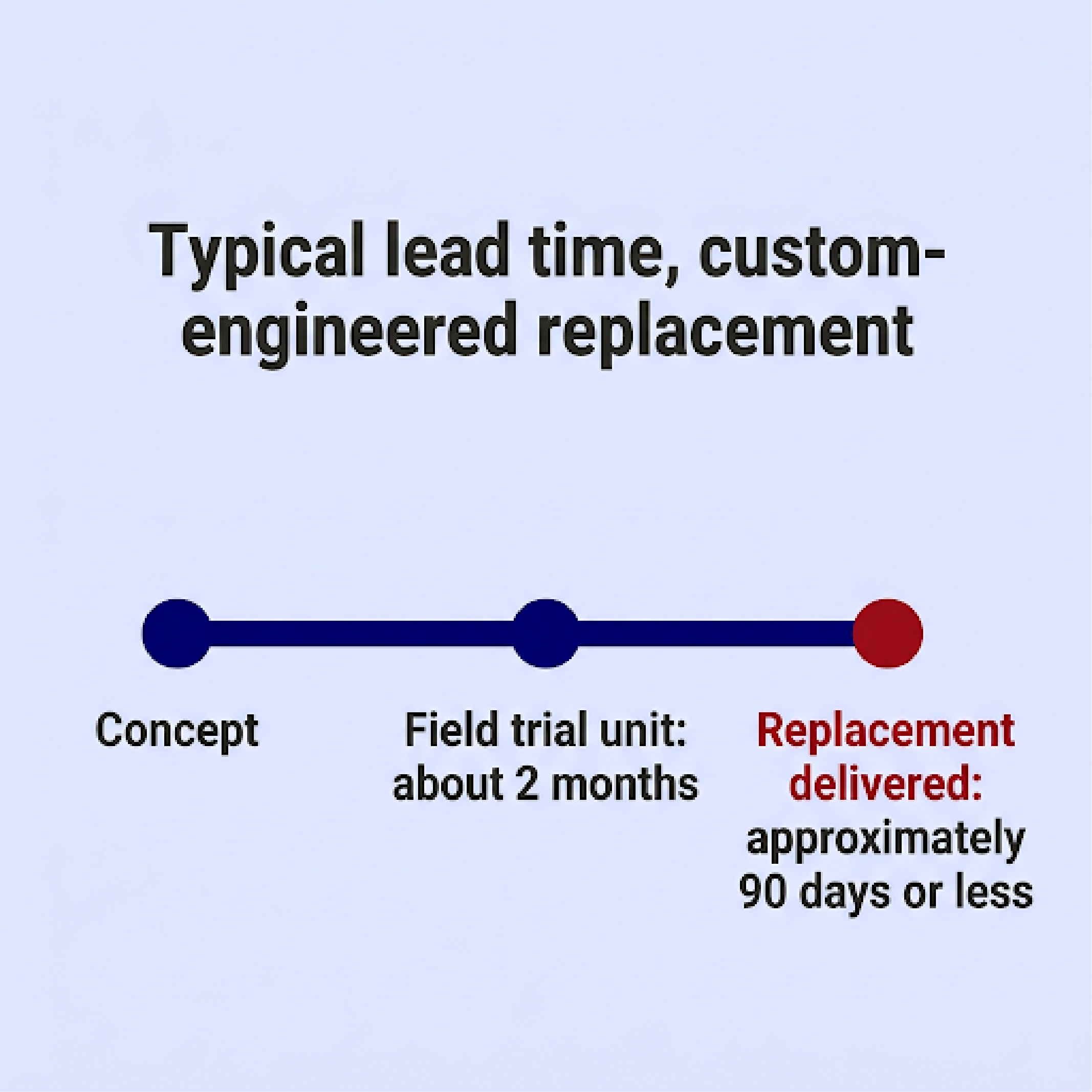
Hardware lead time sets the start of the whole rollout. A custom-engineered replacement typically has a field trial unit ready about two months from concept, and that's the unit you'd use for the bench test and pilot site. The custom-engineered replacement itself is typically delivered in approximately 90 days or less. A standard NetGuardian that already matches your sites ships sooner than a custom build.
We don't charge non-recurring engineering (NRE) fees for a custom-engineered replacement when your order meets our minimum quantity of approximately 11 units. The unit price depends on the capacity and options your sites need, so we quote each project.

If you have discontinued RTUs at your sites, send us the make and model, photos of the connectors and whatever pinout documentation you have. We'll tell you what a matched replacement looks like and whether your existing cables can plug straight into it.
Talk to an Engineer | 800-693-0351

Andrew Erickson
Andrew Erickson is an Application Engineer at DPS Telecom, a manufacturer of semi-custom remote alarm monitoring systems based in Fresno, California. Andrew brings more than 19 years of experience building site monitoring solutions, developing intuitive user interfaces and documentation, and opt...