Check out our White Paper Series!
A complete library of helpful advice and survival guides for every aspect of system monitoring and control.
1-800-693-0351
Have a specific question? Ask our team of expert engineers and get a specific answer!
Sign up for the next DPS Factory Training!
Whether you're new to our equipment or you've used it for years, DPS factory training is the best way to get more from your monitoring.
Reserve Your Seat Today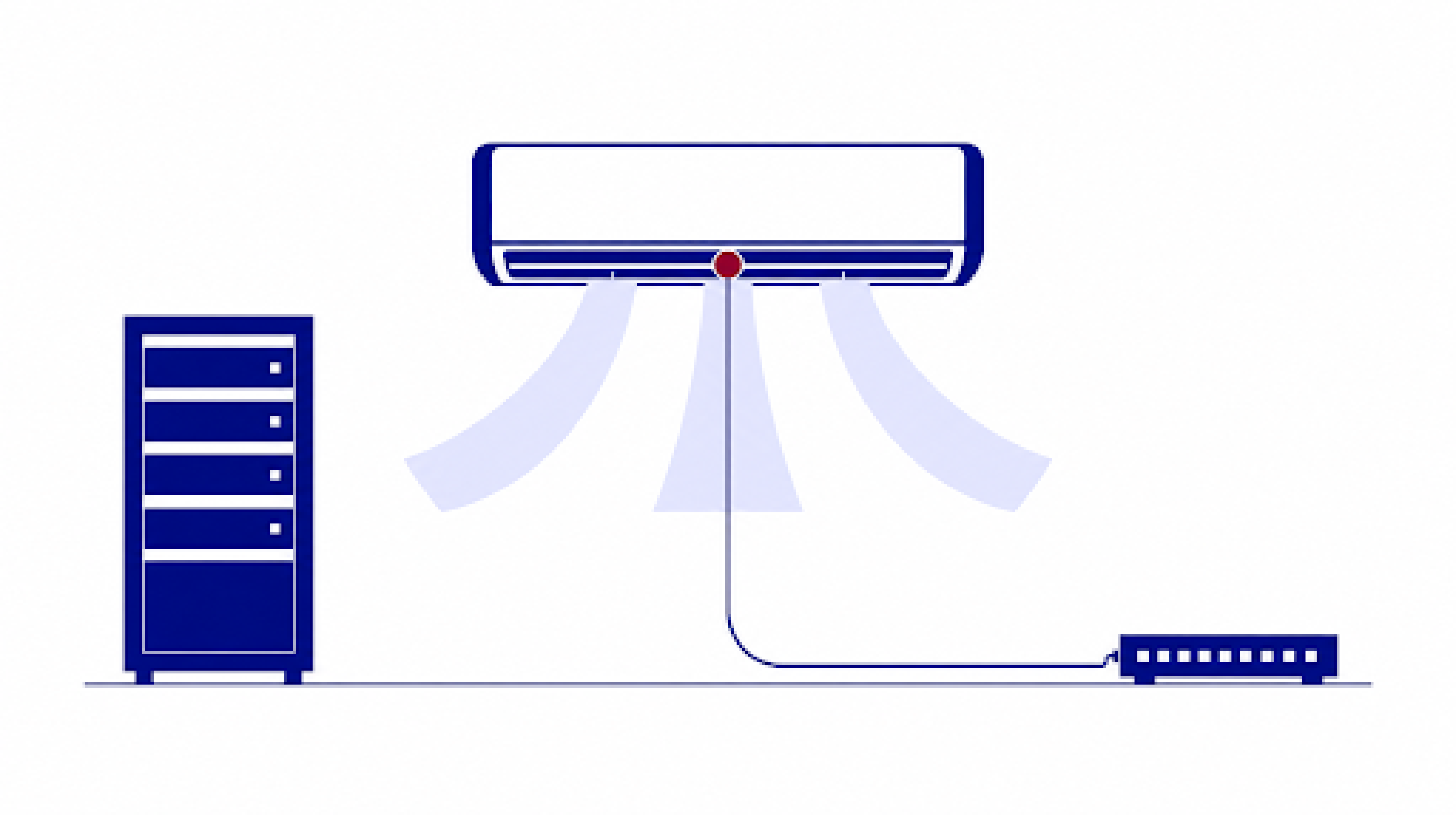
The best RTU for temperature and HVAC monitoring reads temperature as a true analog value rather than a simple above-or-below contact, alarms on how fast that value is climbing, and watches airflow alongside temperature at each air conditioner. RTU means two different things depending on who is saying it. In the heating, ventilation and air conditioning (HVAC) trades it's the rooftop unit, the air conditioner itself. In remote monitoring it means the remote telemetry unit, the device that watches the air conditioner and reports back to your operations center.
DPS Telecom has designed and built remote monitoring hardware in Fresno, California since 1986, and we've shipped more than 172,800 devices to over 1,500 companies. Temperature is the sensor almost every one of those sites ends up with. A radio site, a fiber hut, a substation control house and a telephone switch are all equipment rooms, and heat damages the electronics inside them the same way, so the same monitoring works at all of them. For new deployments we recommend our NetGuardian G6 family, and the size of the site picks the model within it.
A discrete input reports that a condition is above or below a set point, and nothing more. For temperature, that means a thermostat-style sensor with a dial on it. At two in the morning you learn that the site is too hot. You don't learn whether it's one degree over the line or thirty, and those are two different jobs for the technician you're about to wake up.
The dial is also a physical object, which means people bump it or change it. Someone turns it to suit themselves during a site visit, and the site then runs to a person's comfort instead of the equipment's, burning heating fuel or cooling power in a room that's empty almost all of the time. Our CEO, Bob Berry, makes the point in 100% Uptime that "humans are rarely at your remote sites, so it's silly to let human comfort drive your default temperature settings."
A true analog input reports the value continuously and puts the threshold in the RTU's web interface instead of on the sensor. Now you can trend the reading over months, raise the threshold from your desk when a site alarms more often than it needs to, and hand the firmware a stream of real numbers to do math on rather than a single bit.
Third-party sensors reach an RTU through standard analog inputs, either 0-5 volts DC or 4-20 milliamps, or through discrete inputs as a contact closure. Our own D-Wire temperature sensors connect over the D-Wire bus instead of a traditional analog circuit, and they still report true analog values. Every G6 NetGuardian has D-Wire inputs, so one bus carries temperature, humidity, airflow and vibration readings back to the RTU without spending a dedicated analog channel on each one.
| Discrete input | True analog input | |
|---|---|---|
| What it reports | Above or below one set point | The actual temperature, continuously |
| What the alarm tells you | The site is too hot | The exact temperature now, and what it was an hour ago |
| Where the threshold lives | A dial on the sensor, at the site | The RTU's web interface |
| Changing the threshold | A site visit | A configuration change from your desk |
| History and trending | Nothing to trend | Logged values you can chart |
| Rate-of-change alarming | Not possible | Supported |
Threshold alarming reports that a site has crossed a line. Rate of change reports that it's heading there. A ten degree rise inside a single minute is a failure already in progress, even while the reading still sits well inside your acceptable range, and an RTU that only compares the current value against a ceiling has nothing to say about it yet. Most of the clients we talk to have never had this described to them, and it's usually the feature they end up most interested in.
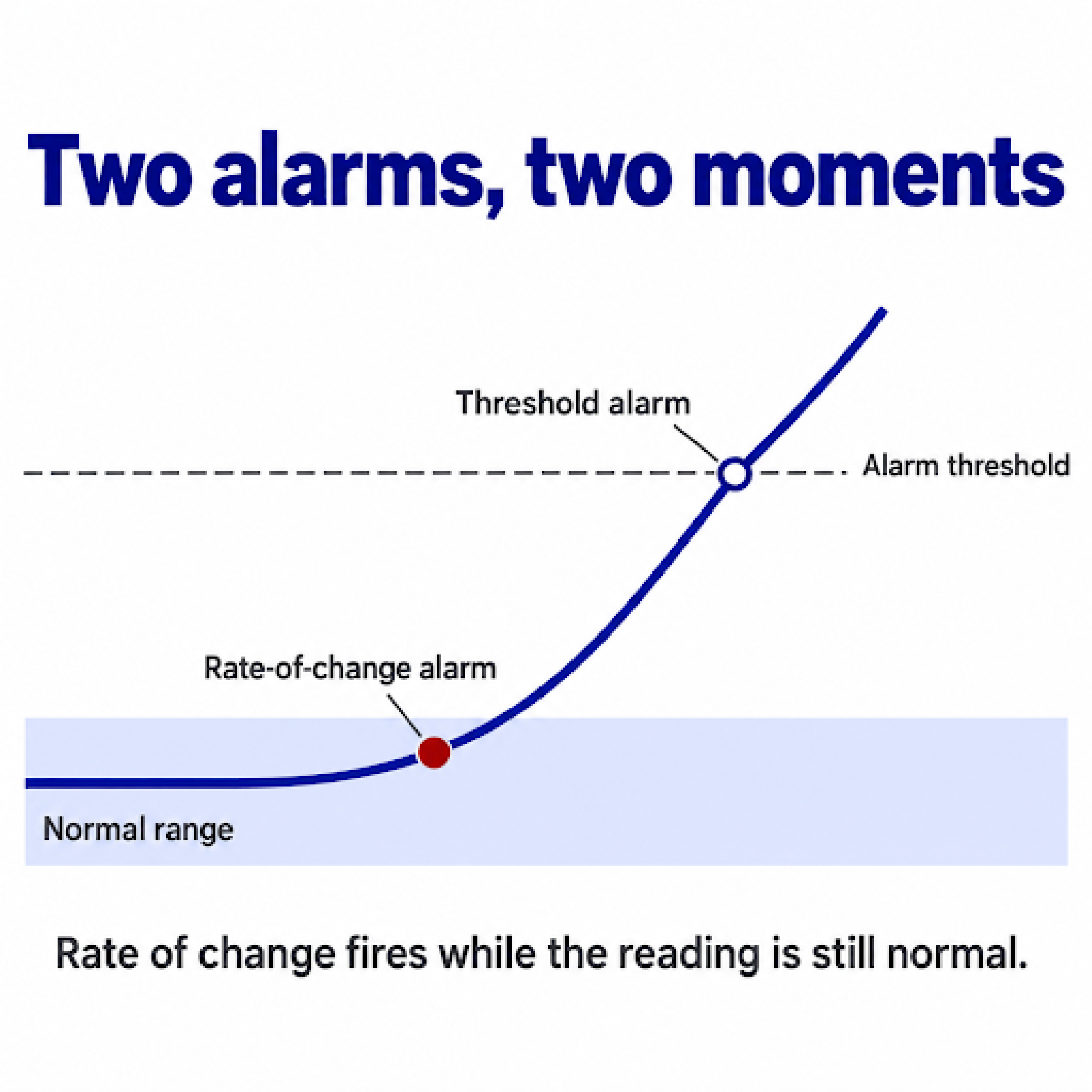
Rate of change runs in two places on our equipment. NetGuardian firmware evaluates it at the site, which is the simplest option when each site stands on its own. T/Mon evaluates it centrally instead, watching live status from every NetGuardian on your network, which fits better when you want one place to change the logic for a few hundred sites at once.
Calculating a rate means comparing one reading against the next, and that arithmetic amplifies electrical noise. Remote sites are electrically noisy places. Sensor cable runs alongside rectifier busbars and radio transmitters, and a single spurious spike would trip a crude rate alarm and teach your team to ignore it. Filtering is what makes the technique usable in the field, and it's standard practice in industrial alarm management under ANSI/ISA-18.2. The rate gets calculated across a rolling window of roughly one to five minutes rather than second to second. A persistence timer holds the alarm back until the rate has stayed above the threshold for 30 to 60 seconds. A deadband stops it chattering as the rate settles down again.
Usually yes, and the savings are bigger than people expect. Cooling cost tracks the gap between the temperature you're holding inside and the air outside, and that relationship is exponential rather than linear, so each degree you give back saves more than the one before it. The thermal guidelines published by the American Society of Heating, Refrigerating and Air-Conditioning Engineers (ASHRAE) for data processing equipment put the recommended envelope at 64.4 to 80.6 degrees Fahrenheit (18 to 27 Celsius) across every standard air-cooled equipment class, which is warmer than a lot of shelters are actually run.
Carrier equipment gets judged against Telcordia's Network Equipment-Building System criteria, GR-63-CORE, which permits short excursions past the continuous range but caps them at 96 consecutive hours and 360 hours across a calendar year. That cap is worth knowing. A site that runs hot for a week in August has used a large share of the year's allowance, and it doesn't come back until January.
Raising the set point is only practical if the threshold lives in software. With the set point on a dial at the site, five degrees is a truck roll. With the threshold in the web interface, it's a configuration change you make while you're looking at last summer's trend data.
Running warmer does narrow the gap between your normal operating temperature and the point where equipment starts to suffer, so when an air conditioner quits you have less time before it matters. That's the argument for treating a higher set point and rate-of-change alarming as one decision rather than two.
Temperature's companion reading for HVAC health is airflow. Humidity is easy to add and some sites want it, but what humidity reports is condensation risk, which is a different question from whether the air conditioner is doing its job.
Most sites depend on run status for that, and run status can't answer the question. A contactor closing or a fan spinning means the unit is drawing current. A compressor that has lost its charge through a pinhole leak keeps running, keeps pulling close to normal amps, and moves almost no heat out of the room. It looks healthy on every alarm you have.
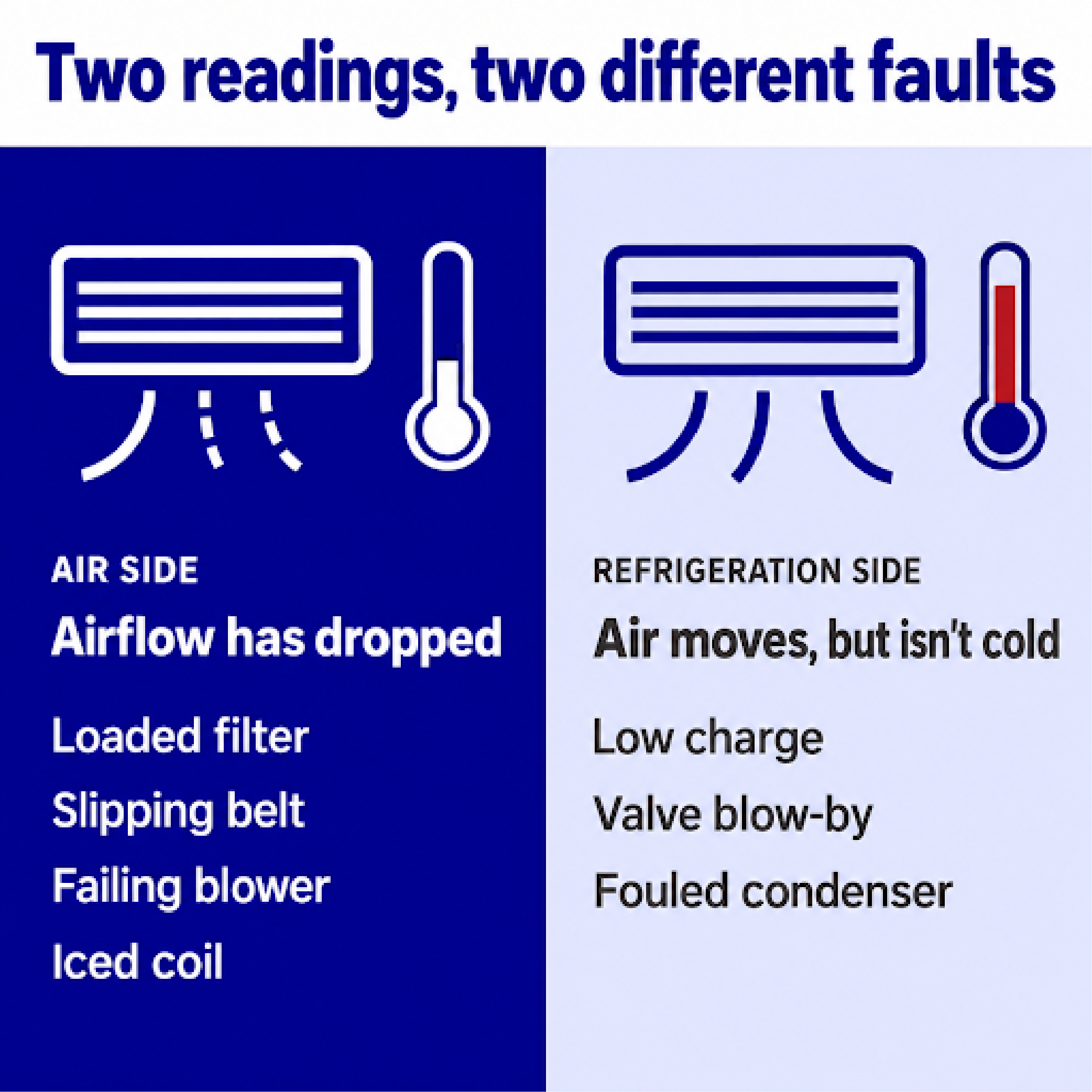
A sensor at the vent closes that gap. Our D-Wire temperature and airflow sensor reads both from one unit, so a single sensor at the vent where an air conditioner delivers air back into the room tells you how cold that air is and whether it's actually moving. A drop in airflow points at the air side of the system: a loaded filter, a slipping belt, a failing blower motor or an iced coil. If the air is moving normally but isn't much cooler than the room, the problem sits on the refrigeration side, which usually means low charge, valve blow-by or a fouled condenser. Pairing those two readings on each unit is the core of how we approach remote HVAC monitoring, and it's the difference between knowing a unit failed and knowing which technician to send with which part.
An HVAC controller is a specialized RTU that wires into your air conditioners rather than watching the room they cool. Our HVAC Controller manages lead/lag operation across up to six units so run time rotates instead of piling onto one compressor, logs run times for every unit, and carries twelve relay outputs so you can act on a unit from your desk.
By default, it also checks the air each unit is delivering. It compares that air against the room itself and alarms when it isn't at least 10 to 15 degrees cooler. A unit that runs without cooling passes every run-status alarm you own and fails this one. That's what makes it useful for HVAC failure detection at unmanned sites, where the controller flags a unit for maintenance or replacement before the site gets hot enough for anyone to notice.
It will also run a test on any unit on demand from the front panel, so you can find out in March whether a compressor is going to make it through August.
Often, yes. Buyers assume they need to add sensors, and a good share of the time the RTU's own ambient sensor covers the site on its own, so we'd rather say that than sell hardware nobody needs.
An internal sensor sits inside a powered enclosure, so it tends to read 3 or 4 degrees off, usually on the warm side. That error works in your favor for an alarm, because it makes you slightly more sensitive than the room really is, and if it trips more often than you'd like you raise the threshold and move on. An RTU mounted high in a cabinet is sitting in the warmest air in the room anyway, which is exactly where a temperature alarm should be looking.
External D-Wire sensors earn their place when one reading can't represent the whole room:
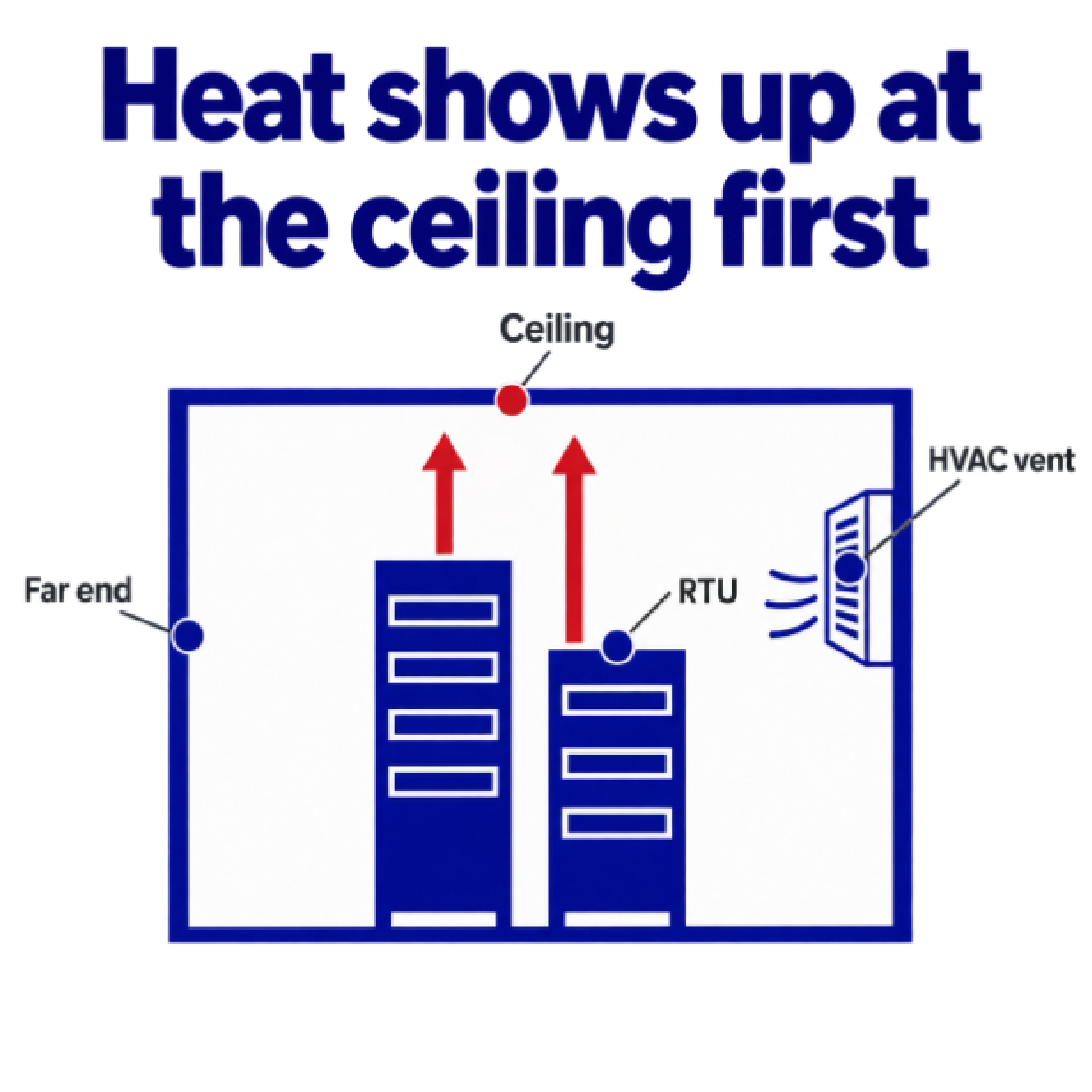
Temperature is where every remote environmental monitoring build starts. How many sensors you add past that is a judgment call about how many distinct zones the site really has.
We recommend the G6 family for any new deployment. The temperature side of it is straightforward, since every G6 has D-Wire inputs. The bigger reason to specify G6 is the platform itself, because it carries the network security work and the other improvements we've made since the family was introduced, and those matter to a unit watching an HVAC vent exactly as much as they matter to one watching a rectifier.
Capacity determines the model within the family.
| Site | Model | What decides it |
|---|---|---|
| Large site with a high point count | NetGuardian 832A or 864A | Discrete and analog capacity, plus room to expand |
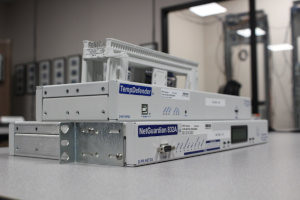
| Smaller site | NetGuardian 216 G6 or TempDefender G6 | Enough points for the site with headroom, in a smaller chassis |
The TempDefender name undersells the product, and that trips people up. It was built initially for data centers and their hot and cold aisles, and it was the start of our D-Wire sensor line. It's now used across our customer base, well beyond data centers. It is a NetGuardian with smaller capacity and different connectorization, not a temperature-only device and not a companion that sits next to a NetGuardian. Its alarm terminations are built for speed in the field, so a technician strips a wire, inserts it and flips the latch closed rather than working with wire wrap or pluggable connectors. Use it as the single RTU at a smaller site, the same way a NetGuardian handles a larger one. One RTU covers the whole site in nearly every case, whichever model in our RTU line that turns out to be.
More than the site has today. Buyers size the alarm count in front of them, and seven alarms doesn't point at an eight-point unit. Discrete points are among the least expensive things in an RTU. Analog circuits and advanced communication interfaces are what drive the price, so buying headroom on discretes costs less than most people assume it will.
A remote site stays in service for fifteen or twenty years, and the list of things you're responsible for keeps growing the whole time. A second HVAC unit goes in. Somebody adds a generator, then a fuel tank sender, then battery midpoint monitors. If the RTU filled up on the day it was commissioned, each of those either goes unmonitored or gets wired into an input that's already carrying something else.
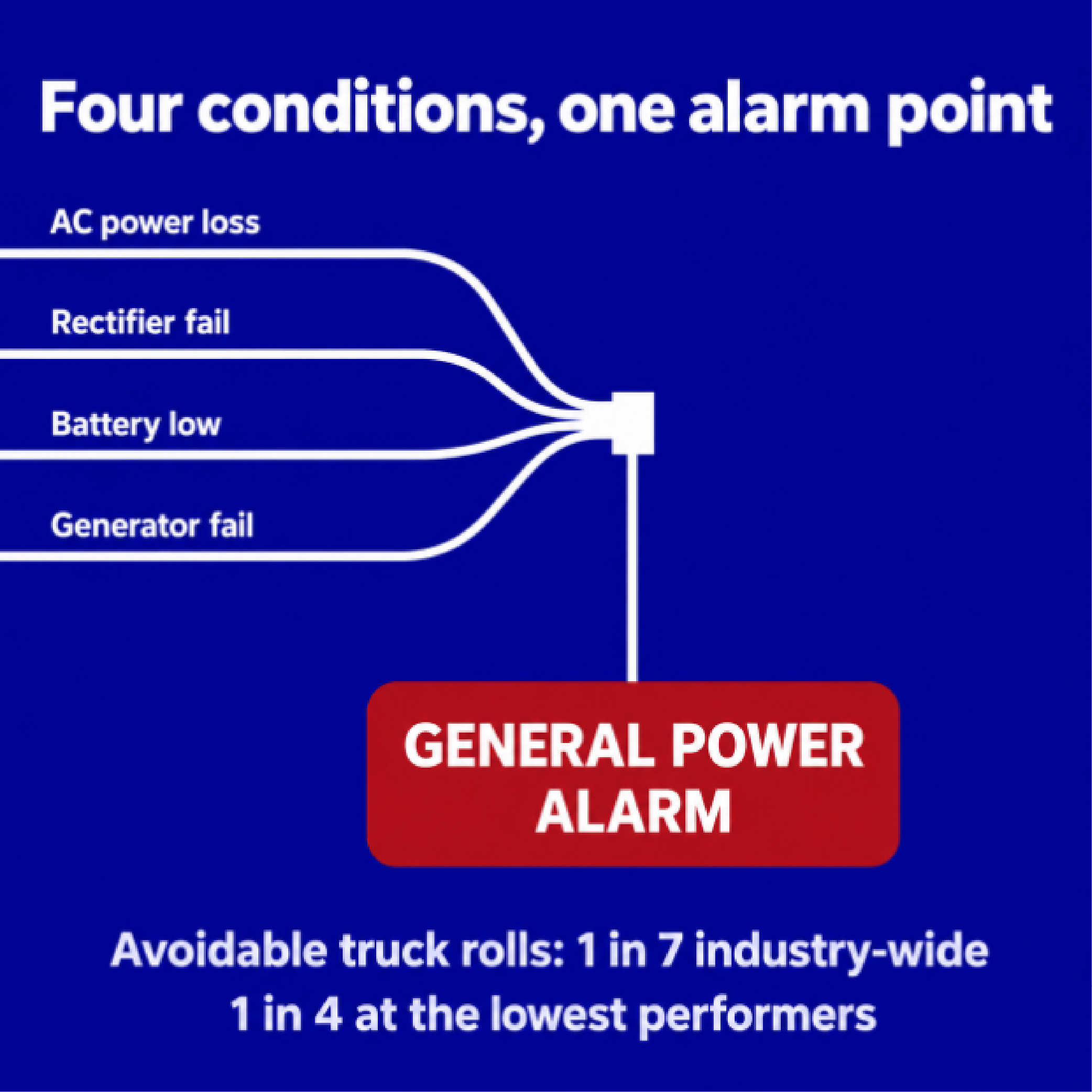
Sharing an input is the outcome that costs you. Wiring several conditions into one input ORs them together, and that input can then only report that something tripped. You end up with a point named "general power alarm" and a technician driving out to work out which of four conditions it was, sometimes without the right part on the truck. Field service benchmarking puts avoidable dispatches at one in seven truck rolls across the industry, and closer to one in four at the lowest-performing organizations, and alarm data that can't say what happened is a large part of that. Our complete buyer's guide to remote telemetry units works through capacity planning across the other point types.
Heat builds at a remote equipment shelter for weeks before anyone sees it. A filter loads up. A charge leaks down over months. The room holds temperature the whole time because the unit is working harder to hold it, and then it's August, the compressor can't keep up, and the site goes from fine to critical in an afternoon. Plenty of technicians keep a box fan in the pickup for exactly this. Without good monitoring they arrive to find the site at 110 degrees, and they vent the heat out while they work out what the HVAC is doing.
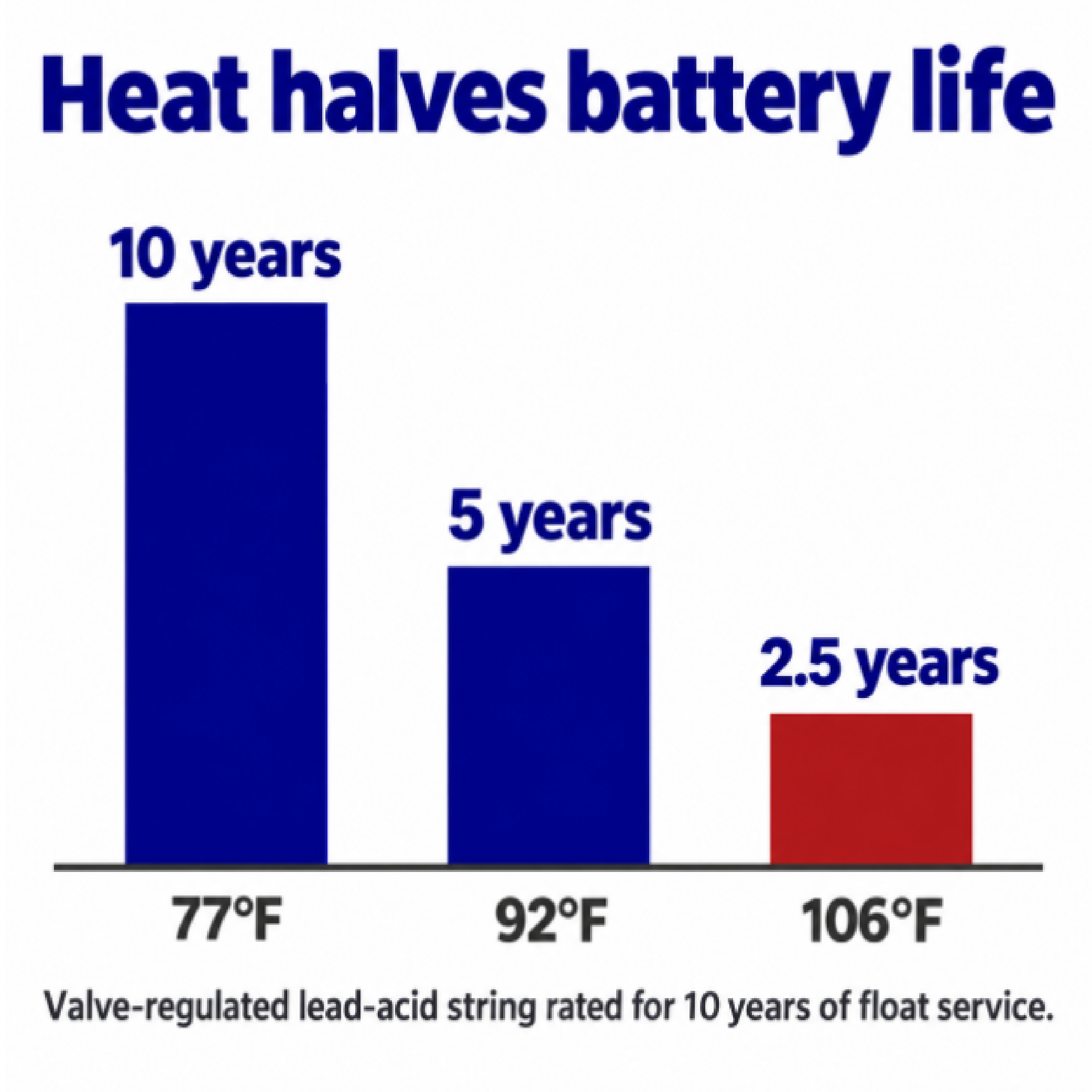
Sustained heat also does damage that shows up on a much longer delay. Battery plants take the worst of it. A valve-regulated lead-acid string rated for ten years of float service at 77 degrees loses half that life at a constant 92 degrees, and drops to about thirty months at 106, which is a replacement cycle nobody put in the budget. Temperature is only half of what a battery plant needs to be watched, and battery voltage monitoring covers the other half, with optional battery sensors reporting voltage and internal resistance cell by cell.
Heat is also an early signal of electrical failure. A terminal screw or a busbar bolt loosens from thermal cycling. An oxidation layer forms across the joint, resistance climbs, and the current flowing through it starts turning into heat at that one spot. Forensic engineering work on industrial electrical fires describes these as glowing connections, and what makes them dangerous is that no breaker will trip on them. The fault sits in series with the load, so current stays inside the normal rating of the circuit while the joint slowly heats the insulation beside it. A temperature reading inside a power distribution cabinet is one of the few things that catches it.
High temperature can come before a fire, and we've heard of fires that destroyed anywhere from several hundred thousand to more than a million dollars of equipment. Next to a loss like that, an RTU at a few thousand dollars is a small number, and it's one you can't buy after the fact.
Tell us what's at your sites, how many HVAC units you're trying to watch, and where you expect the point count to go over the next few years. We'll work out which model fits and which sensors actually earn their place, and we'll tell you when the built-in sensor is enough. Every DPS Telecom product is designed, built and tested in Fresno, California, and the people answering our support line are the engineers who designed the equipment. If you'd rather see it running before you commit, we'll send a unit out on a 30-day loaner so you can try it at a real site.
Talk to an Engineer | 800-693-0351

Andrew Erickson
Andrew Erickson is an Application Engineer at DPS Telecom, a manufacturer of semi-custom remote alarm monitoring systems based in Fresno, California. Andrew brings more than 19 years of experience building site monitoring solutions, developing intuitive user interfaces and documentation, and opt...