Check out our White Paper Series!
A complete library of helpful advice and survival guides for every aspect of system monitoring and control.
1-800-693-0351
Have a specific question? Ask our team of expert engineers and get a specific answer!
Sign up for the next DPS Factory Training!
Whether you're new to our equipment or you've used it for years, DPS factory training is the best way to get more from your monitoring.
Reserve Your Seat TodayGenerator run verification is the practice of collecting an independent, timestamped record showing that a standby generator actually started, ran, and carried load when it was supposed to - during its scheduled exercise and during a real utility outage. Without that record, the only evidence is usually a vendor app, a log on the generator controller, or someone noticing that the engine-hour meter moved.
This article explains how to monitor generator exercise runs and outage starts with a remote telemetry unit (RTU), why an independent record matters, and how to build alarm logic that tells you when a generator should be running and is not. It is written for telecom, utility, government, and facilities teams responsible for backup power at unmanned or lightly staffed sites.
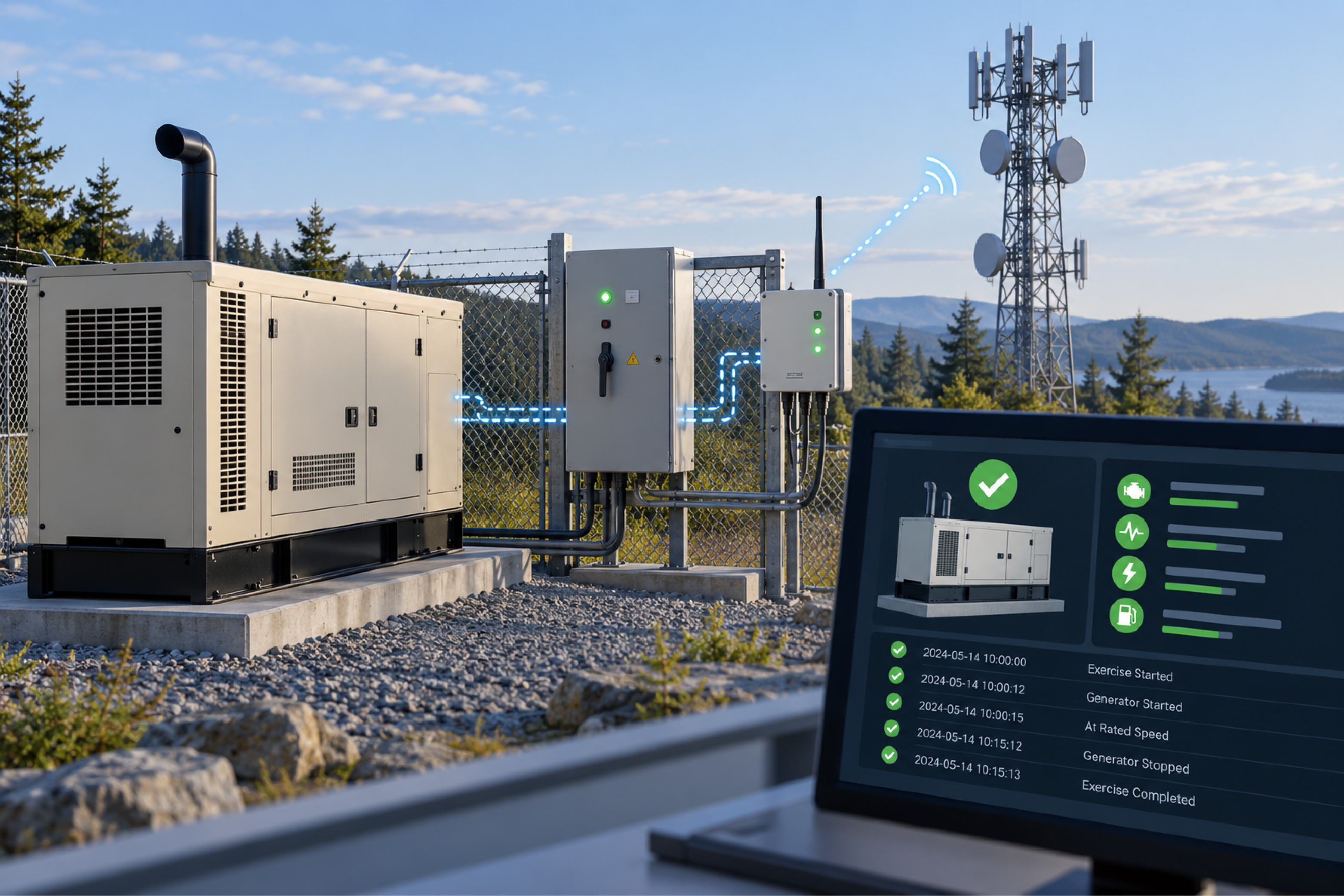
Most standby generators exercise on a schedule - often weekly for a short run - and many of those exercises run without transferring the site load. The transfer switch stays on commercial power, the generator spins up, runs for a few minutes, and shuts down. From the equipment room, nothing changes. No load moved, no power blinked, and no alarm fired.
That creates three common blind spots:
The last point matters more than many teams expect. Where a site is operated by one organization and maintained by a contractor, disagreements about whether the generator performed during a specific outage can become contractual disputes. A neutral, timestamped event history settles that question quickly.
A generator running signal is any measurable condition that is true only while the generator is producing power. There are several practical ways to capture one, and the right choice depends on what the generator and its transfer switch expose.
| Signal Source | How It Works | Best Fit |
|---|---|---|
| AC presence sensor at the transfer switch | Detects generator output voltage on the generator side of the transfer switch and closes a contact while voltage is present | Generators that exercise without transferring load, or controllers with no usable outputs |
| Generator controller dry contacts | Controller provides "running," "common alarm," or "fail to start" relay outputs | Commercial generators with an alarm output terminal strip |
| Modbus from the generator controller | RTU polls registers for run status, load, engine hours, and fault codes | Modern controllers with an RS-485 or Ethernet Modbus port |
| Transfer switch position | Auxiliary contact shows whether the site is on utility or generator | Confirming that load actually transferred during an outage or loaded test |
For a generator that exercises without transferring load, the transfer switch position never changes during the weekly test, so it cannot prove the exercise happened. Sensing the generator's own AC output is the more direct answer. A hardwired AC presence sensor with screw terminals can be mounted inside an indoor transfer switch enclosure, wired to the generator-side voltage, and connected to an RTU discrete input. The contact stays closed for as long as the generator is producing voltage and opens shortly after it stops, so the RTU records a start time, a stop time, and therefore a run duration.
Modbus monitoring is the practice of polling a device's internal registers over a serial or IP link to read its status values directly. Generator controllers increasingly expose their data this way, and fewer of them offer a spare set of contacts for every condition you care about.
Modbus is the better choice when you need more than a running or not-running indication. A single RS-485 port on a modern controller can expose hundreds of data points - engine hours, load, battery voltage, coolant temperature, and fault codes. As one factory training instructor put it, the configuration takes some labor, "but the wiring labor was one RJ-45."
Most teams do not need every register. A practical generator project often picks four to eight values:
Keeping the list short makes the configuration faster to build and easier to verify. It also helps to have the register map and communication parameters from the controller documentation before configuring anything, and to ask the RTU vendor whether the polling configuration can be loaded at the factory so the unit arrives ready for the site. DPS covers the setup side in more depth on its Modbus network monitoring page.
One design habit is worth keeping even with Modbus in place: wire one or two critical conditions, such as generator running, as hardwired contact closures too. If the serial link or the controller's communication port fails, the hardwired points still report. Training classes describe these as a backup that is "loud enough to tell you you've got a problem."
A derived alarm is an alarm the RTU generates by combining other inputs with logic, rather than reading it from a single sensor. For generator monitoring, derived alarms turn raw points into the question operators actually care about: is the generator doing what it should be doing right now?
The classic example is a generator fail-to-start alarm built from two inputs:
When both conditions are true at the same time, the RTU raises a single high-priority alarm. Commercial power failing by itself is expected - that is why the generator is there. The generator not running by itself is normal most of the time. Only the combination signals a real problem.
A short qualification time keeps this alarm honest. When utility power drops, a healthy generator takes a few seconds to start. Without a brief delay, the derived alarm would fire on every outage before the generator has a chance to come up. Qualification time is how long a condition must persist before the RTU treats it as a real alarm, and a few seconds to cover normal start-up is usually enough.
The same building blocks handle the weekly exercise. A time-of-day window that covers the scheduled exercise period, combined with a generator NOT running condition, produces an alarm only if the generator misses its test. The reverse also works: generator running while commercial power is normal and outside the exercise window means someone started it manually or something is wrong. Units in the NetGuardian family support this kind of derived logic in the field, so the alarm exists at the site rather than depending on a central server to work it out.
An event history is a timestamped log of every alarm set and clear the RTU has recorded. For generator verification, it is the evidence trail: commercial power failed at one time, the generator started a few seconds later, load transferred, utility power returned, and the generator stopped.
To make that history useful as evidence:
Some sites have no network connection at all when monitoring is first installed. That is workable. The RTU can be set up locally with a laptop, record events on its own, and be visited after an outage to view or download its history. When a network link arrives later, the same unit can begin forwarding events without being reconfigured from scratch.
An accumulation timer is an RTU feature that adds up the total time an input has spent in alarm, rather than counting how many times it changed state. Applied to a generator running input, it becomes a run-hour meter that lives in your monitoring system instead of on the engine.
That distinction matters. One hour-long outage run is one event but one hour of runtime. Ten short exercise starts are ten events but only a few minutes of runtime. A counter answers "how many starts?" and an accumulation timer answers "how long did it run?"
Accumulation timers are useful for:
Generator monitoring projects tend to be small in hardware but sensitive to site details. A short checklist avoids return trips:
Teams that will maintain the system themselves benefit from hands-on factory training, where derived alarms, qualification timers, and generator scenarios are worked through on live equipment.
Monitor the generator's output directly. An AC presence sensor wired to the generator side of the transfer switch closes a contact while the generator produces voltage, and an RTU logs the start and stop. Transfer switch position alone will not show an unloaded exercise.
No. Contact closures and an AC presence sensor cover running status and common alarms. Modbus adds detail such as engine hours, load, and fault codes when the controller supports it. Many teams use both, with a hardwired running point as a backup to the Modbus link.
It is a derived alarm that fires when commercial power has failed and the generator is not running. A short qualification delay prevents it from firing during the few seconds a healthy generator needs to start.
Yes. An RTU records events locally, and a technician can connect on site to view or download the history. Adding a network link later lets the same unit forward events in real time.
Use a time-of-day window that matches the exercise schedule. During the window, generator running is expected. Outside the window, generator running with commercial power normal can be flagged for review.
Yes, with an accumulation timer on the generator running input. It totals runtime across all starts and can alarm at a threshold you set for maintenance or reporting.
If your only proof that a generator ran is an app screen or an engine-hour reading, an independent monitoring record closes that gap. DPS Telecom designs and builds RTUs in Fresno, California, and has helped utilities, carriers, and government facilities monitor generators with contact closures, AC presence sensing, and Modbus, with derived alarms that flag a missed start the moment it happens. Get a Free Consultation, or call 1-800-693-0351 or email sales@dpstele.com.

Andrew Erickson
Andrew Erickson is an Application Engineer at DPS Telecom, a manufacturer of semi-custom remote alarm monitoring systems based in Fresno, California. Andrew brings more than 19 years of experience building site monitoring solutions, developing intuitive user interfaces and documentation, and opt...